Packs
Much of what ITB does is not built into it. It arrives as packs — installable content that adds artifacts to generate, rules to check your model against, or entries to the application's own interface. Changing what you generate, or what the application offers, is a matter of installing a different pack rather than getting a new version of the application.
This page is about installing them. What a pack declares is Pack Configuration; a pack that adds to the interface is covered under Capabilities.
You install packs from the Marketplace (the package icon in the left sidebar, under the logo). They are installed per user, so trying one out affects nobody else.
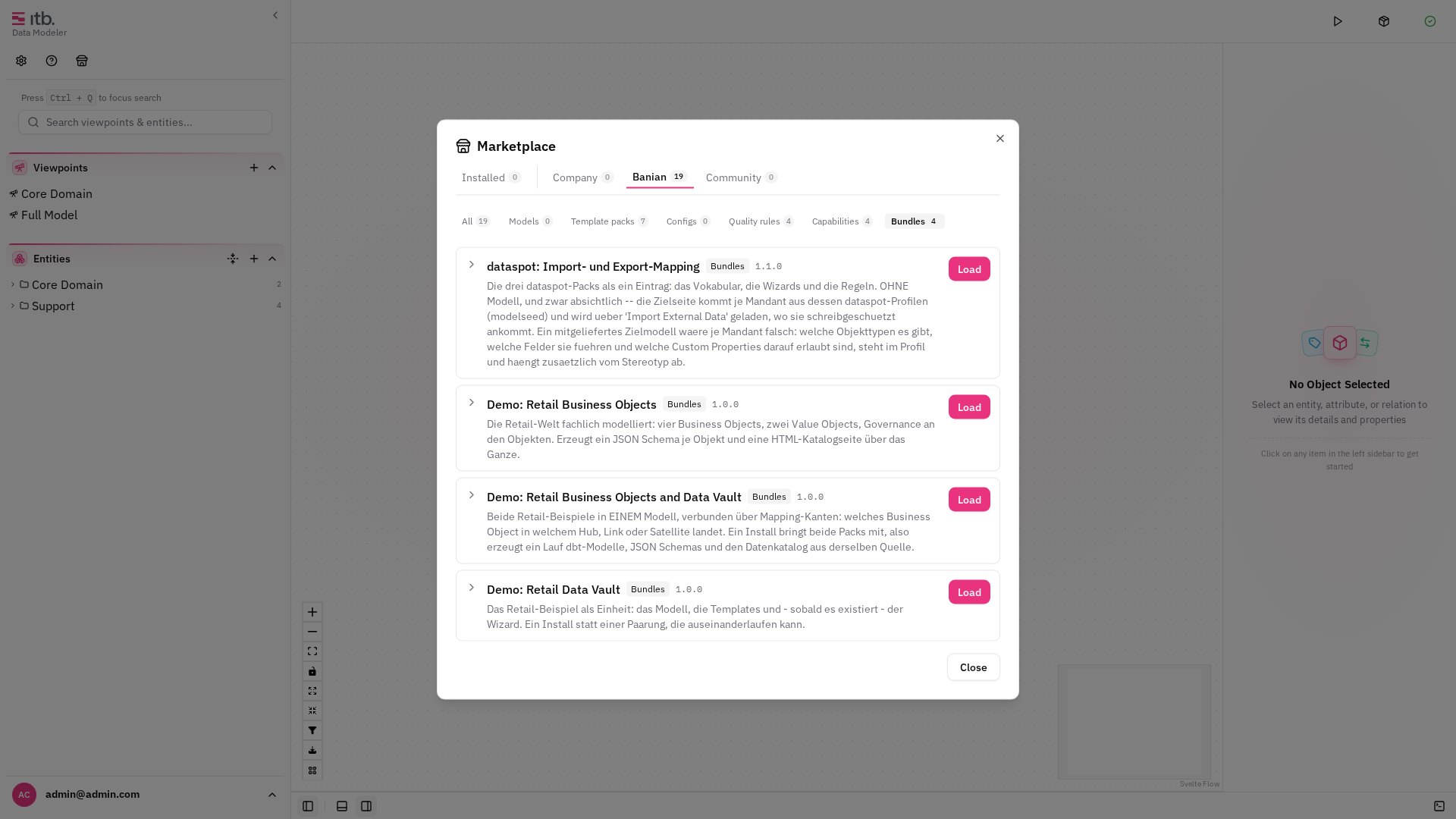
The four kinds
The Marketplace groups its content by what it does:
| Group | What it adds |
|---|---|
| Template packs | The artifacts themselves — SQL models, schemas, documentation pages |
| Quality rules | Rule groups the Quality tab runs against your model |
| Capabilities | Additions to the application's own interface: wizards, actions, menu entries |
| Bundles | Several of the above, plus a model, installed as one item |
A pack declares what it needs from your model — entity types, attribute types, relation types, custom properties — and ITB checks that after installing. If something is missing, the reconcile dialog offers to add it rather than letting generation quietly produce nothing.
That check is the reason a pack can be trusted to work right after installing. A pack matches your model by type key; without the types it expects, it would match nothing and generate no files — with no error, because "nothing matched" is not a failure.
Bundles: several components as one item
A model and the pack that generates from it belong together. Shipped separately, they come apart: someone installs the model without its pack, generates, and gets nothing.
A bundle avoids that by installing everything at once — the model with its type configuration, the template packs, any capability pack, and quality rules — in the order that makes them work. Everything is validated before anything is written, so a bundle cannot land half-installed.
Because a bundle can carry a model, installing one shows you what it contains before anything happens:
- every pack it holds, with its kind and version;
- the rule groups it installs;
- and, when it brings a model, a warning that the model in your workspace will be replaced and its Git connection removed.
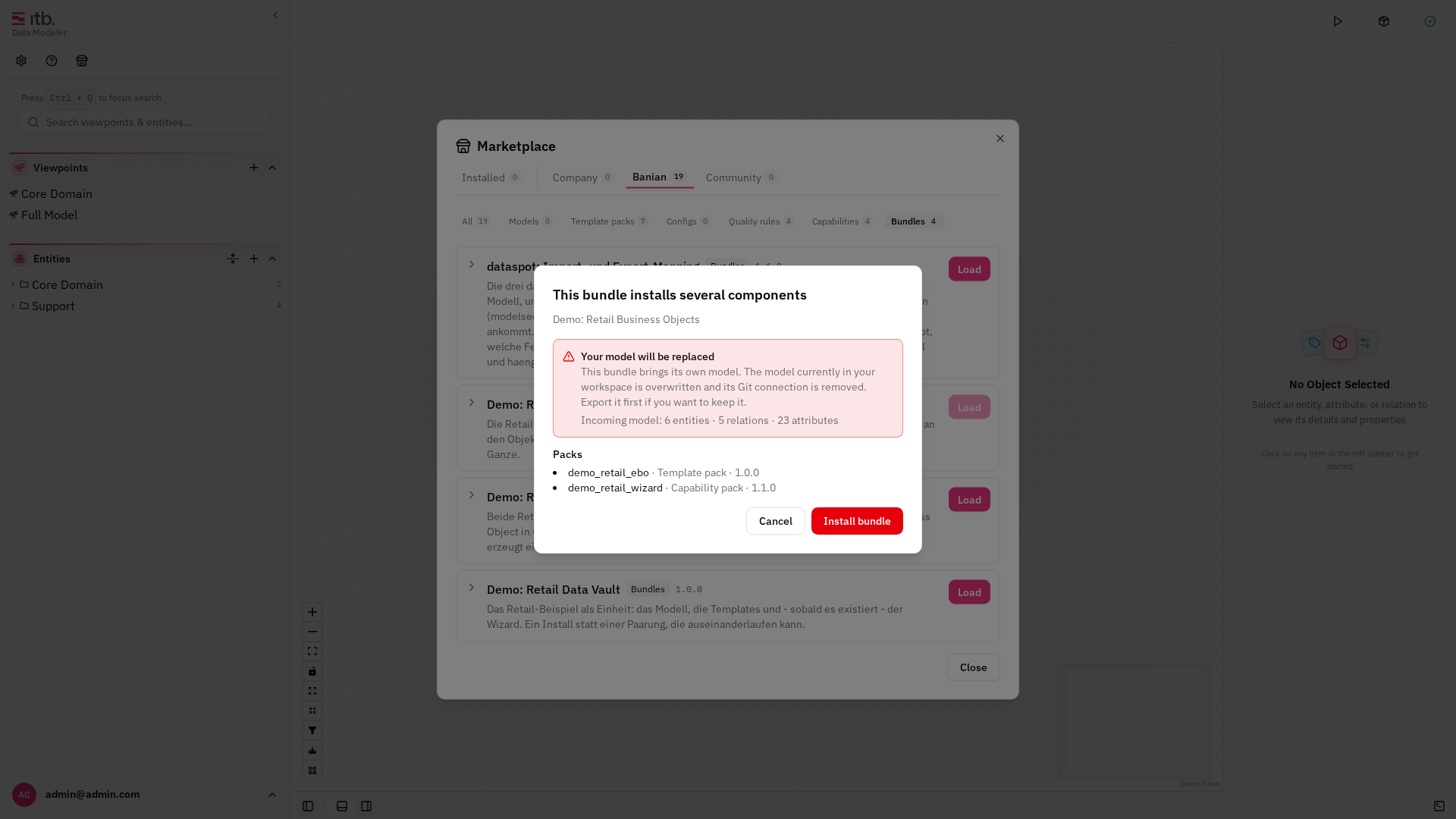
A replaced model cannot be restored. Save a copy of your model first with Model Actions ▸ Download Model in the header.
Once installed, a bundle shows Install again — which is how you get its model back after working on it — and Remove, which takes away the packs and rule groups. Remove deliberately leaves the model in place, because a replacement cannot be undone.
Trying it out
Three demo bundles ship with every installation and need no licence:
| Bundle | What it shows |
|---|---|
| Demo: Retail Data Vault | Customers, products and orders as a Data Vault — staging views, hubs, a link and a satellite, generated as dbt models |
| Demo: Retail Business Objects | The same business world modelled as business objects — generating a JSON Schema per object and an HTML data catalog |
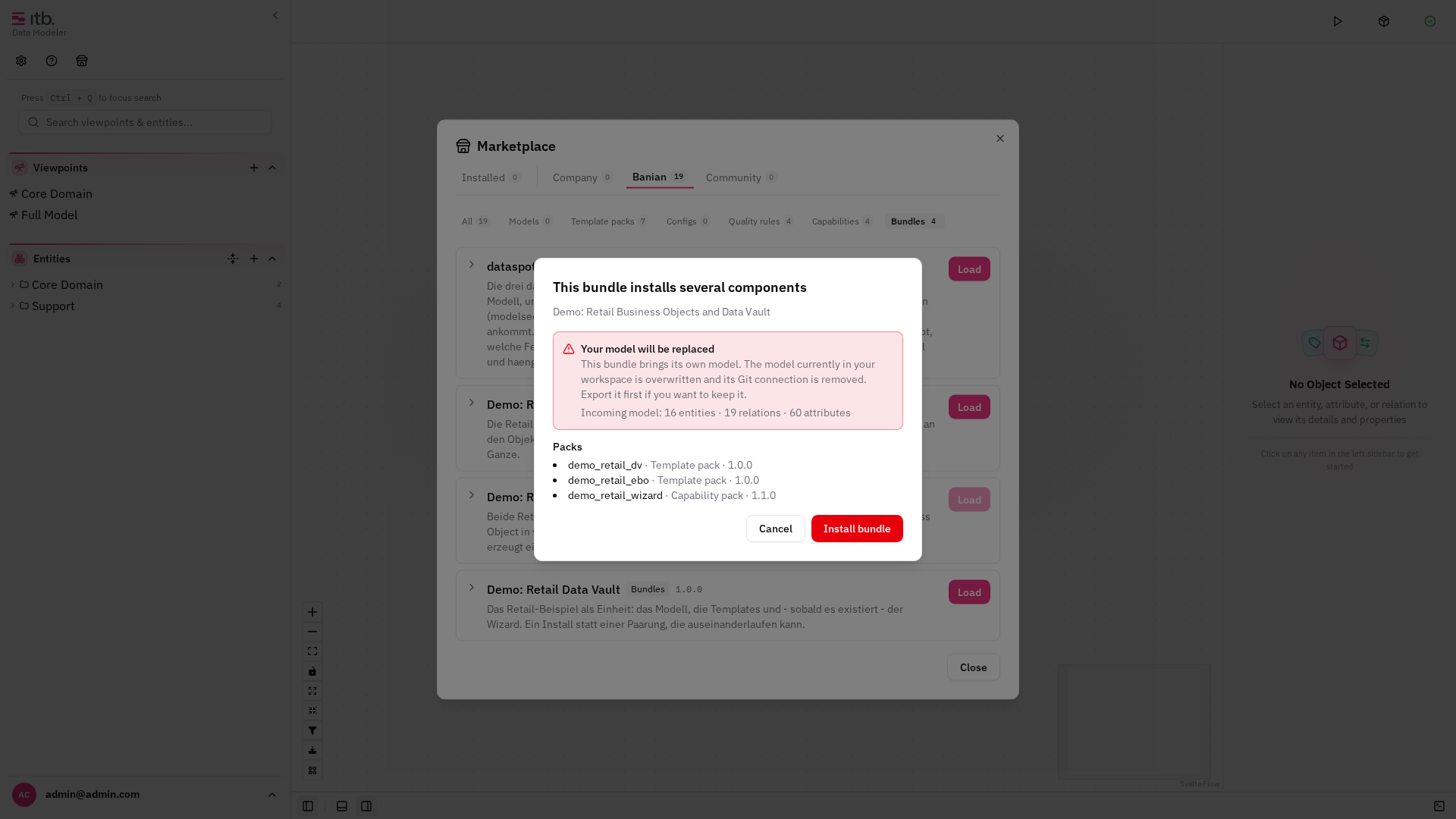
| Demo: Retail Business Objects and Data Vault | Both in one model, with mapping edges showing which business object ends up in which hub, link or satellite |
The third is the one to look at if you only install one. It carries two template packs, a wizard and a sixteen-entity model holding both worlds, so a single run produces dbt models, JSON Schemas and the catalog page together:
The first two are worth installing one after the other, though. They share nothing but the business domain — no type, no template — and they produce completely different artifacts from it. That is the clearest demonstration of what a configuration decides, and Pack Configuration walks through how.