Attributes
Attributes describe the properties of an entity — for example, a "Customer" entity might have attributes like "Customer Name", "Email", and "Customer Since".
Browsing Attributes
Open the Attributes drawer by pressing Ctrl+4. The drawer lists all attributes across every entity, with search and filtering.
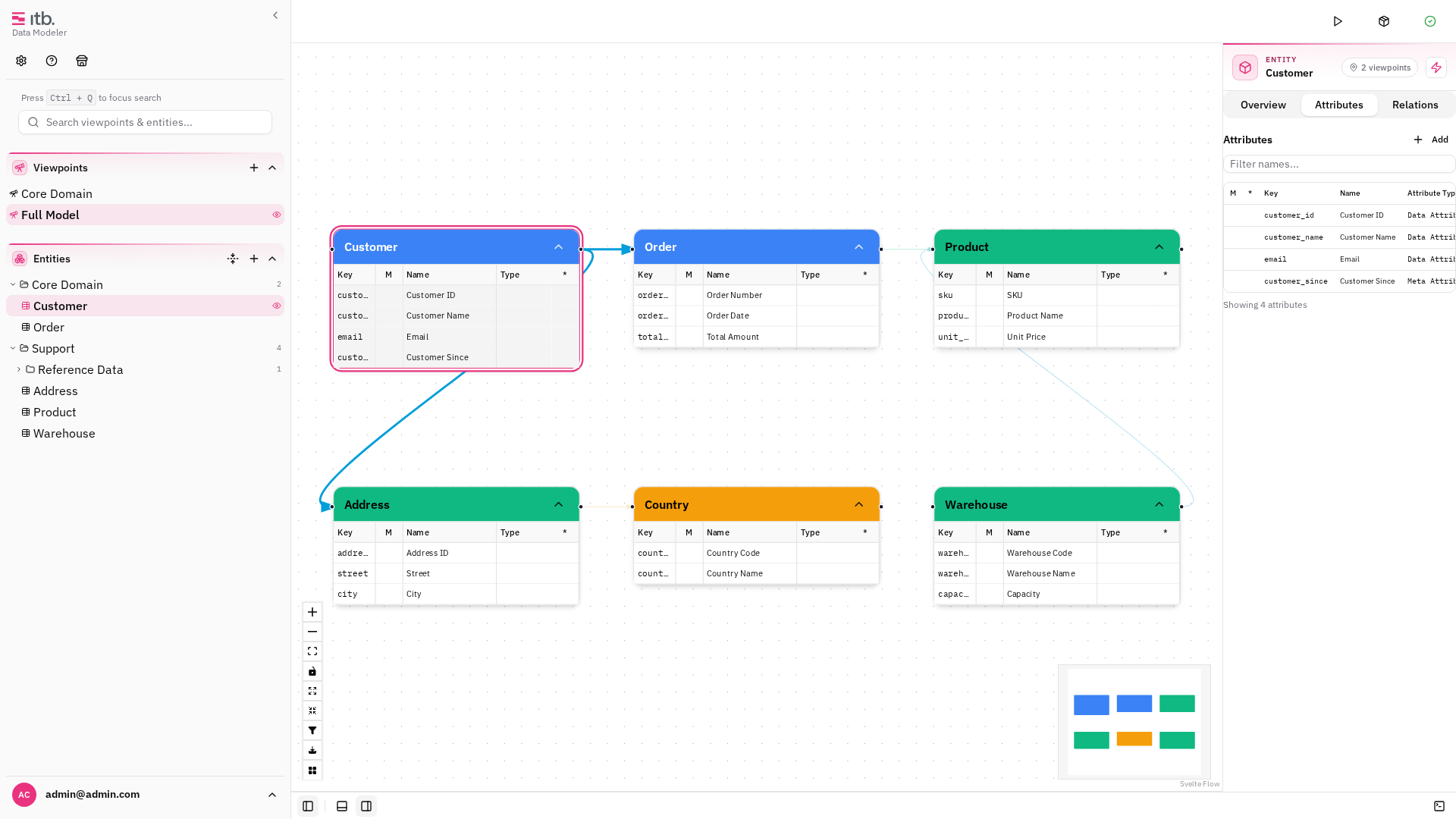
You can also view the attributes of a specific entity by selecting it and looking at the Attributes section in the right sidebar.
Adding an Attribute
- Select an entity (click it on the canvas or in the tree).
- In the right sidebar, scroll to the Attributes section and click +.
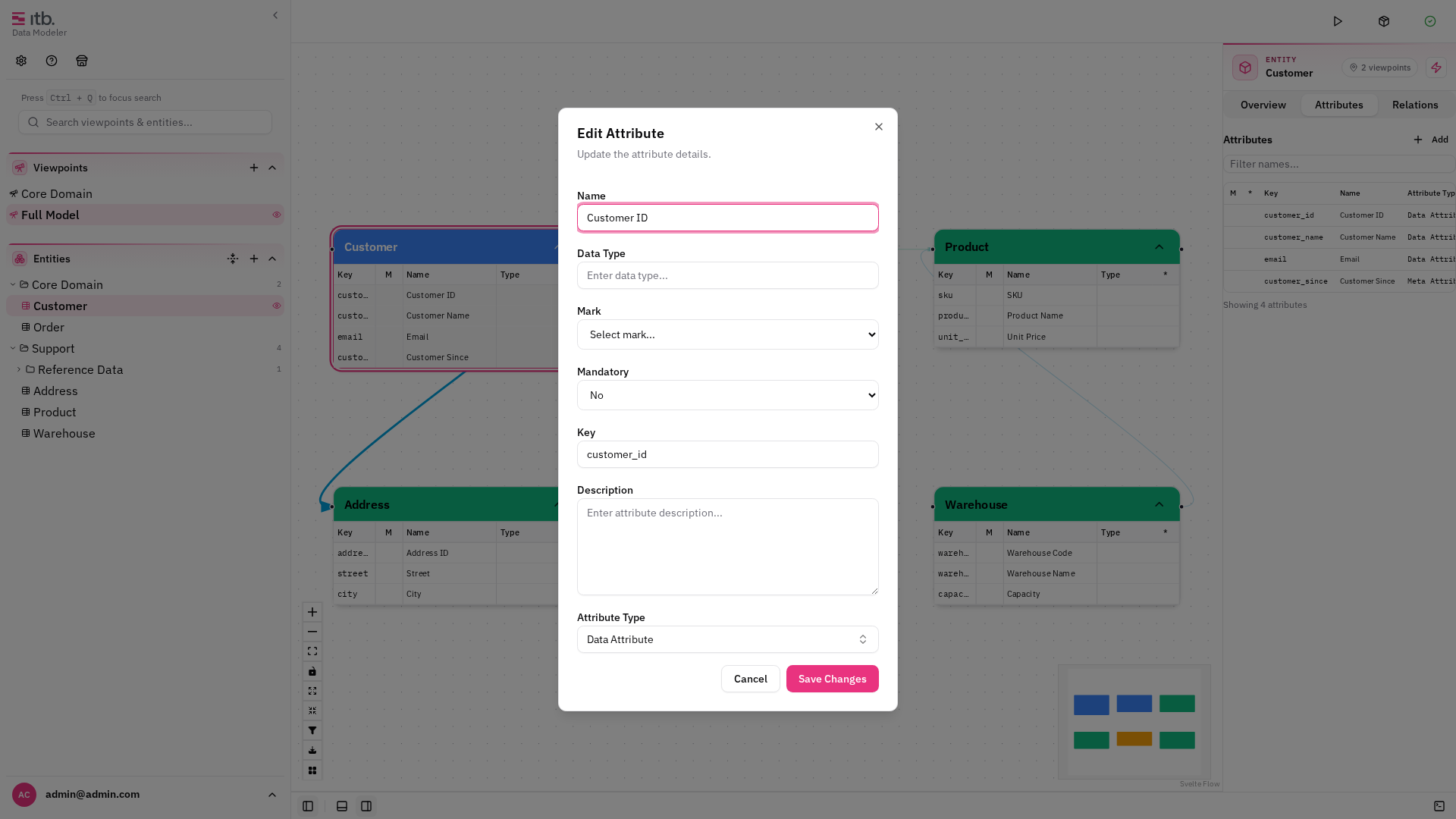
- Fill in the attribute form:
| Field | Description |
|---|---|
| Name | Display name (e.g. "Customer Name") |
| Key | Technical identifier (e.g. customer_name) |
| Datatype | Data type string (e.g. string, date, number) |
| Type | Attribute type category (e.g. "Data Attribute", "Meta Attribute") |
| Mandatory | Whether the attribute is required |
| Mark | Special designation — see Business Key below |
| Description | Optional description |
- Click Create.
Editing an Attribute
Click an attribute in the entity's attribute list to open its edit form. Modify any field and click Save.
Reordering Attributes
Each row in the attribute list has up and down arrows in its actions column. Use them to change the attribute order; the arrows are disabled at the top and bottom of the list. The new order is saved with the model and persists across reloads.
Attribute Types
Attribute types help categorize your attributes (e.g. "Data Attribute" vs. "Meta Attribute"). Manage them under Settings → Types → Attribute Type:
| Field | Description |
|---|---|
| Name | Display name |
| Key | Short identifier |
Business Key Flag
Set an attribute's Mark field to identifier to flag it as a business key. Business key attributes are visually distinguished in the entity node on the canvas and indicate which attributes uniquely identify a record.
This is useful for downstream processes like code generation, where the identifier mark determines which attributes form the entity's primary key.