Code Generation
ITB generates code and configuration artifacts from your data model using the template engine.
This page is the how: pressing the button, reading the phases, downloading the result. Why a particular file appeared — which rule matched it and what that rule read — is How generation works.
Generate All
- Click the Generate All Artifacts button (play icon) on the right side of the header toolbar, to the left of Model Actions.
The button is only visible when the template generation endpoint is configured and
reachable: the client asks for api/v1/template/generate-all when it starts and hides the
button if that endpoint is not there.
- A modal dialog opens and walks through several phases:
| Phase | Status | Description |
|---|---|---|
| Preparing | Green | Checking whether the model has unsaved changes |
| Saving | Blue | Auto-saving the model if changes are pending |
| Generating | Blue | Calling the backend generation endpoint |
| Success | Green ✓ | Generation completed |
| Error | Red ✗ | Generation failed (error message displayed) |
- Click Close when generation is complete.
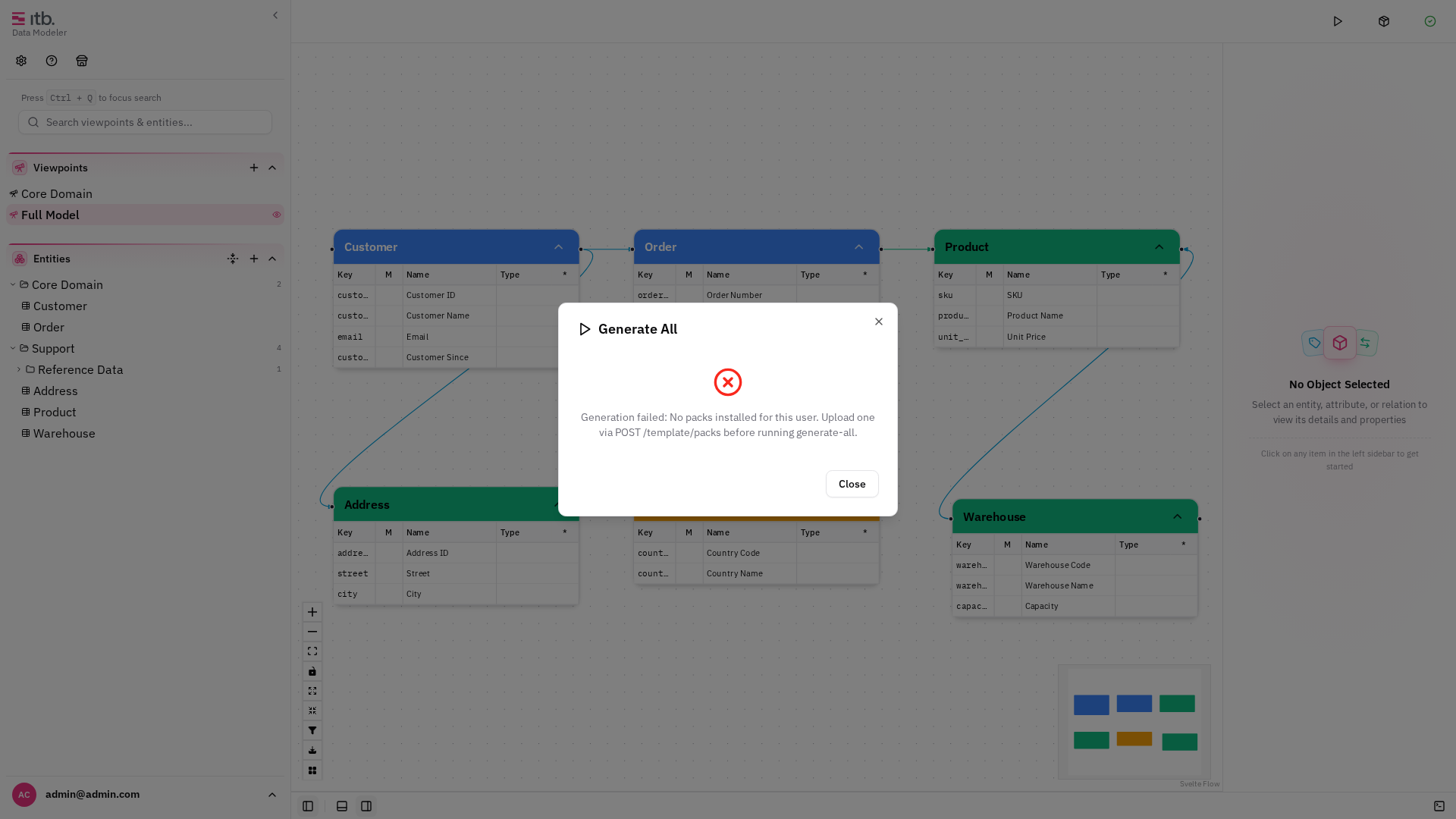
During generation, the model lock is acquired to prevent concurrent edits. The lock is automatically released when generation completes — whether it succeeds or fails.
Downloading Artifacts
After a successful generation, use Download Artifacts in the header's Model Actions menu to export the generated output as an .artifacts.itb.zip file. This archive contains all files produced by the template engine.

Prerequisites
For code generation to work:
- The ITB API must have template generation configured (the
/api/v1/template/generate-allendpoint must be available). - Your model should be complete — all entities, attributes, and relations that the templates reference must be defined.
- The model must be saved before generation (ITB auto-saves if needed).
- At least one template pack must be installed. What gets generated comes from a pack, not from the application — see Template Packs for installing one and Pack Configuration for how a pack decides what your model produces.