0.1.2 (Client)
ITB 0.1.2 turns the model into something you install into and can question: a Marketplace for packs, declarative quality rules, and a SQL console over the model itself.
Part of ITB 0.1.2 release - See master release
✨ New Features
Marketplace — browse and install models, template packs & config
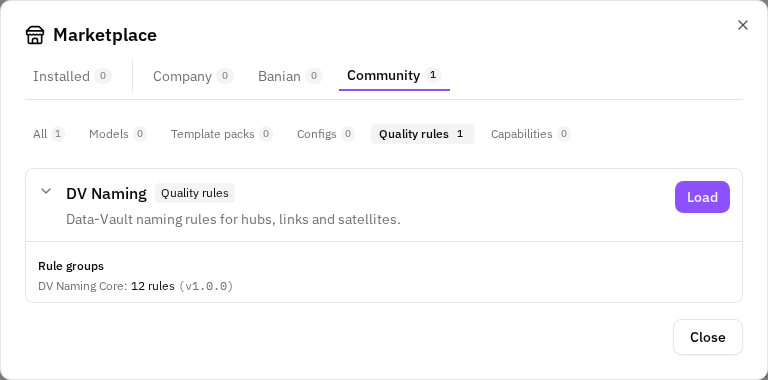
StandardA Marketplace button in the top toolbar opens a catalog dialog where you can browse and install ready-made content into your workspace: whole models, template packs, and config bundles (type & custom-property definitions). Items are organised by tier (Company / Banian / Community) and by group (All / Model / Template / Config), each with a live count, and every item can be expanded to inspect what it contains before you install it.
Show which templates apply to an entity
StandardA Show templates action on any entity (canvas node, left tree, or right sidebar) previews which template definitions would generate for that entity and lists them in a new Templates tab in the bottom panel. Each match shows its definition, the artifact it produces and the pack it comes from, with per-row "Explain why" (why this template matched) and "View code" (the generated artifact) actions.
Zoom-level attribute detail on large viewpoints
StandardOn large viewpoints the canvas now shows attribute detail only when you are zoomed in enough to read it. Below a configurable zoom threshold, entities collapse to their headers and attribute-mapping edges merge to one line per entity pair; zooming back in restores the full attribute rows and individual connections. A top-left badge indicates when detail is hidden because of the zoom level.
Model-Level Custom Properties
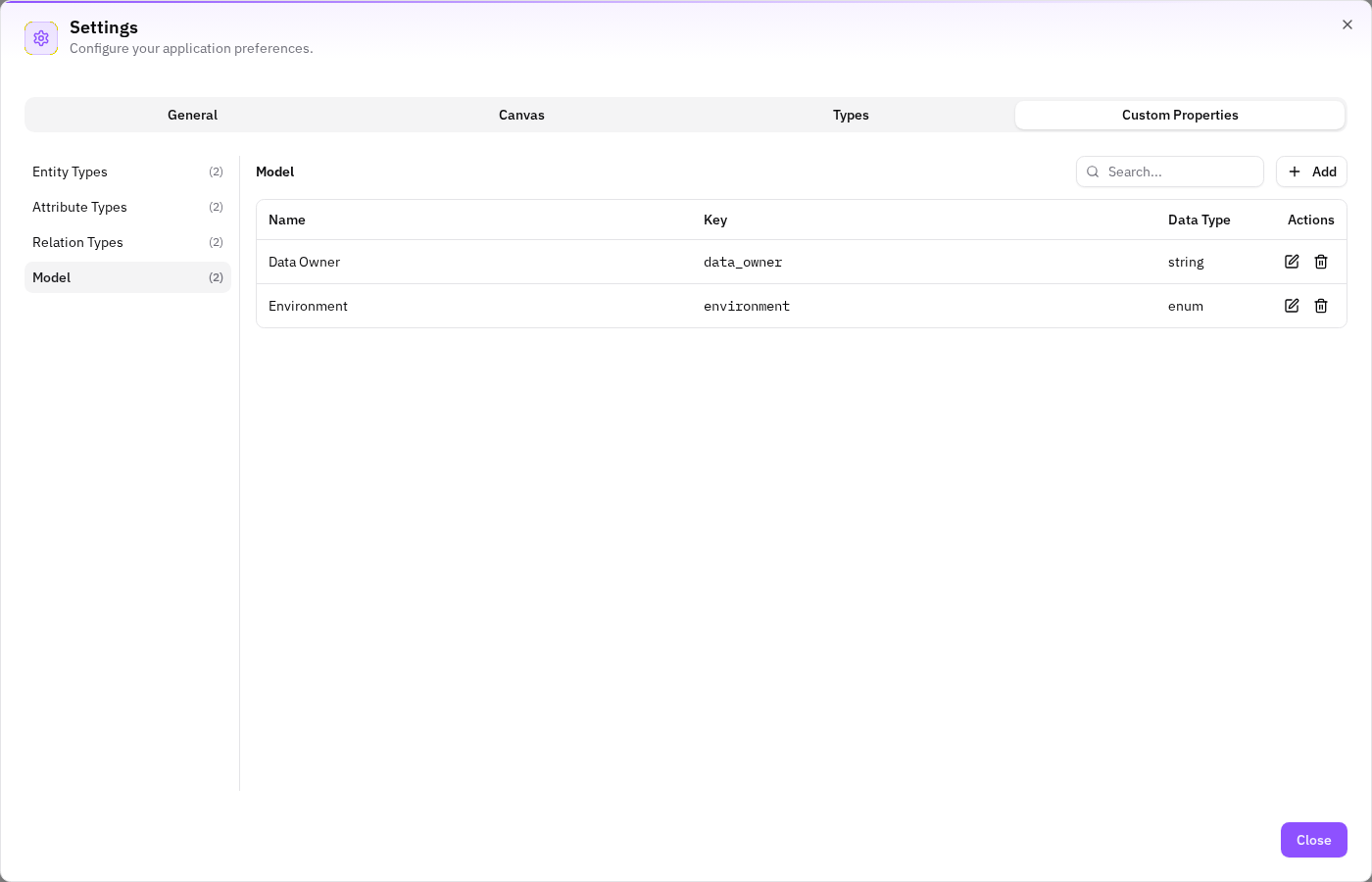
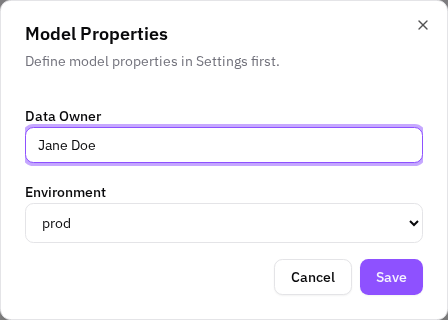
StandardCustom properties can now be defined and set at the model level, closing the last gap in the typing system's object model — entity, attribute and relation instances already had custom properties; there was no scope for the model as a whole. A new Model category joins the existing three in Settings → Custom Properties: define typed properties there (text or enum, no type-scope narrowing since there are no "model types" to scope to), then set their values once, globally, via Model Actions → Properties.
Key Field on Relation & Viewpoint Types + Type-Key Uniqueness
StandardRelation types and viewpoint types now carry a key, matching entity types and attribute types — all four type families are consistent again. The Add/Edit dialogs for relation and viewpoint types require a key, and the Settings ▸ Types tables show it as a new column. Alongside this, key uniqueness is now validated for all four type families (previously none of them checked it).

Quality Rules Engine (Model Validation)
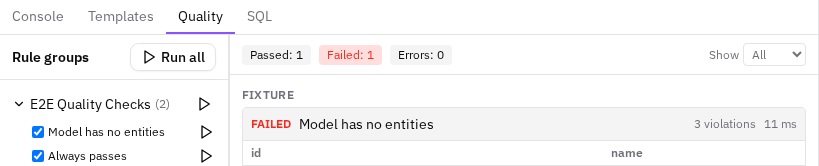
StandardITB now validates models against declarative quality rules. A new Quality tab in the bottom panel lists the rule groups the user has installed from the marketplace (e.g. the Core Model Quality pack with Referential Integrity, Custom Properties and Model Hygiene) and runs them — all at once, per group, or a single rule — against the current model. While a run is in progress the panel shows live feedback (rules executed out of total, with a per-rule status log). The result is a report with pass/fail/error status per rule, severity counts, and an expandable table of the exact offending records (capped at 100 rows, with the true total shown).
SQL Console Tab
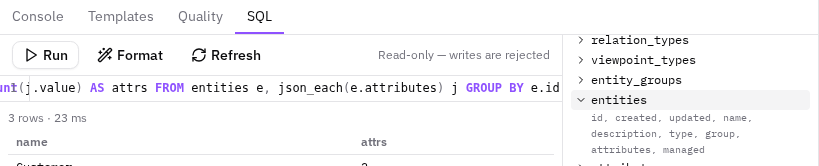
StandardA new SQL tab in the bottom panel lets power users and support engineers query the current model with real SQL. The model is projected into a read-only, in-browser SQL database (the same engine the Quality tab uses), so joins, aggregations and JSON functions work against familiar table names (entities, attributes, relations, …). The console ships with syntax highlighting, table/column autocompletion, a formatter, a query history (last 10), and a schema reference listing every table and its columns.
Where an installed pack came from
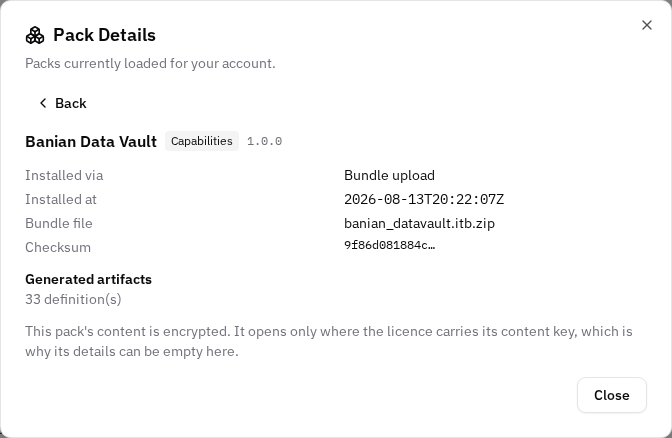
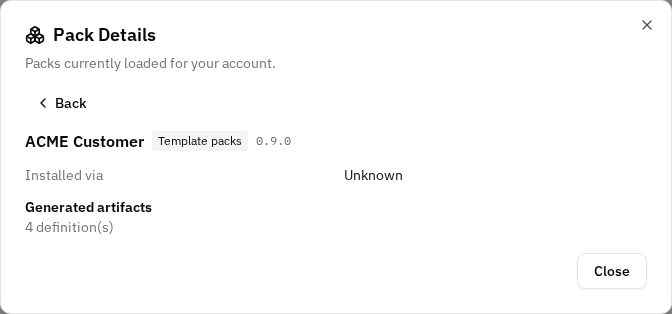
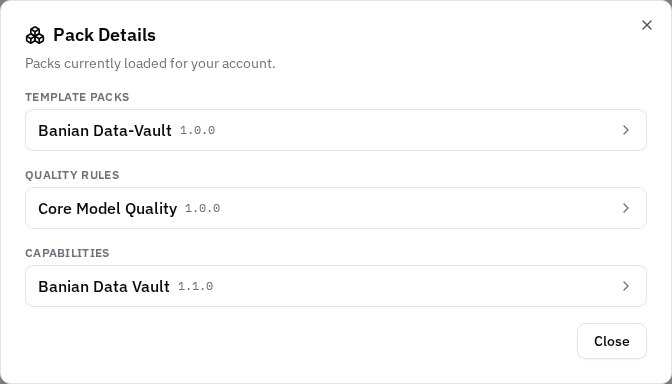
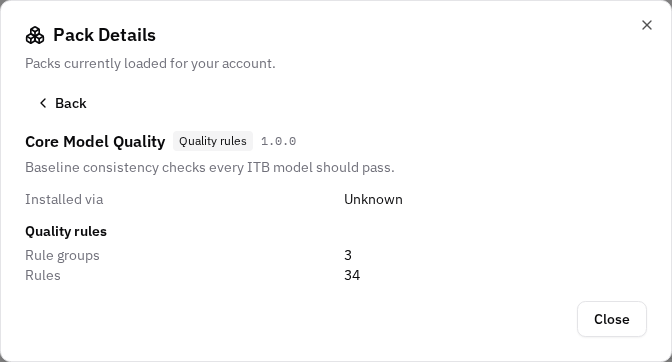
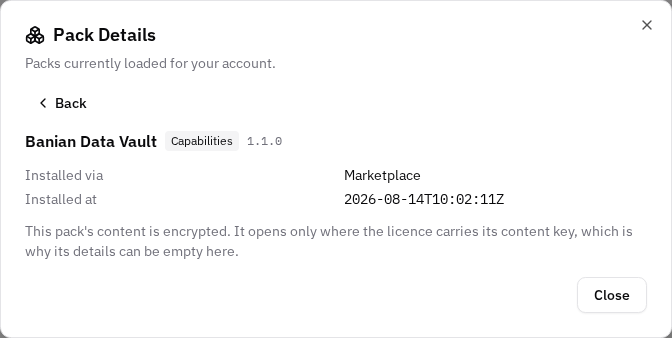
StandardA pack can reach your installation two ways: through the Marketplace, or as a bundle you upload yourself. Until now that was not visible. Both routes produced the same result on disk, and neither the Marketplace nor the pack dialog could say which one it had been.
a Retail Data Vault demo pack, on the AutomateDV standard macros
StandardA new template pack, demo_retail_dv, generates a small Raw Vault from three seed files: three staging views, two hubs, one link and one satellite. It is deliberately small, and deliberately not the Banian implementation — its templates call the AutomateDV standard macros (automate_dv.hub, .link, .sat, .stage, v0.11), so the generated models are readable against that package's own documentation.
The client wears the ITB corporate design
StandardThe application's accent colour is now the ITB brand pink, #E9337F, and the ITB logo has replaced the placeholder mark in the sidebar and on the sign-in screen. Until now the client shipped the stock colour of the component library it is built on — a violet nobody chose — so the product looked like its toolkit rather than like itself.
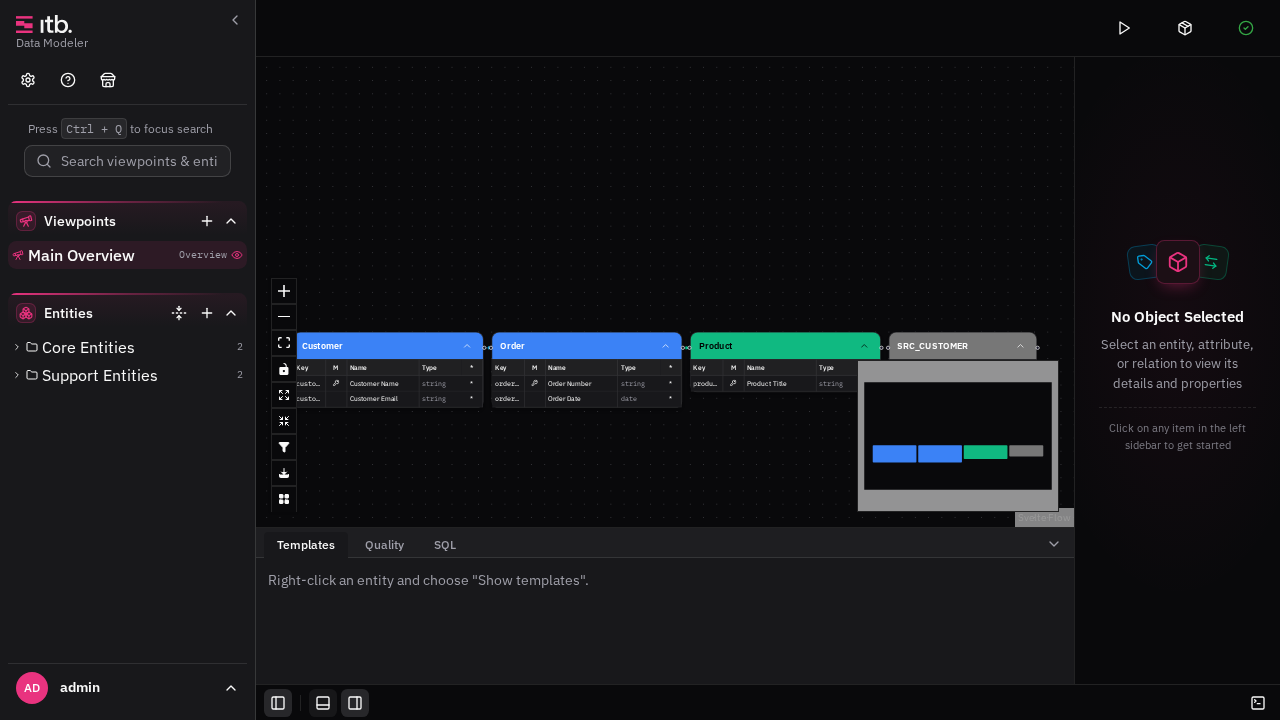
A status bar, and panes you can put away
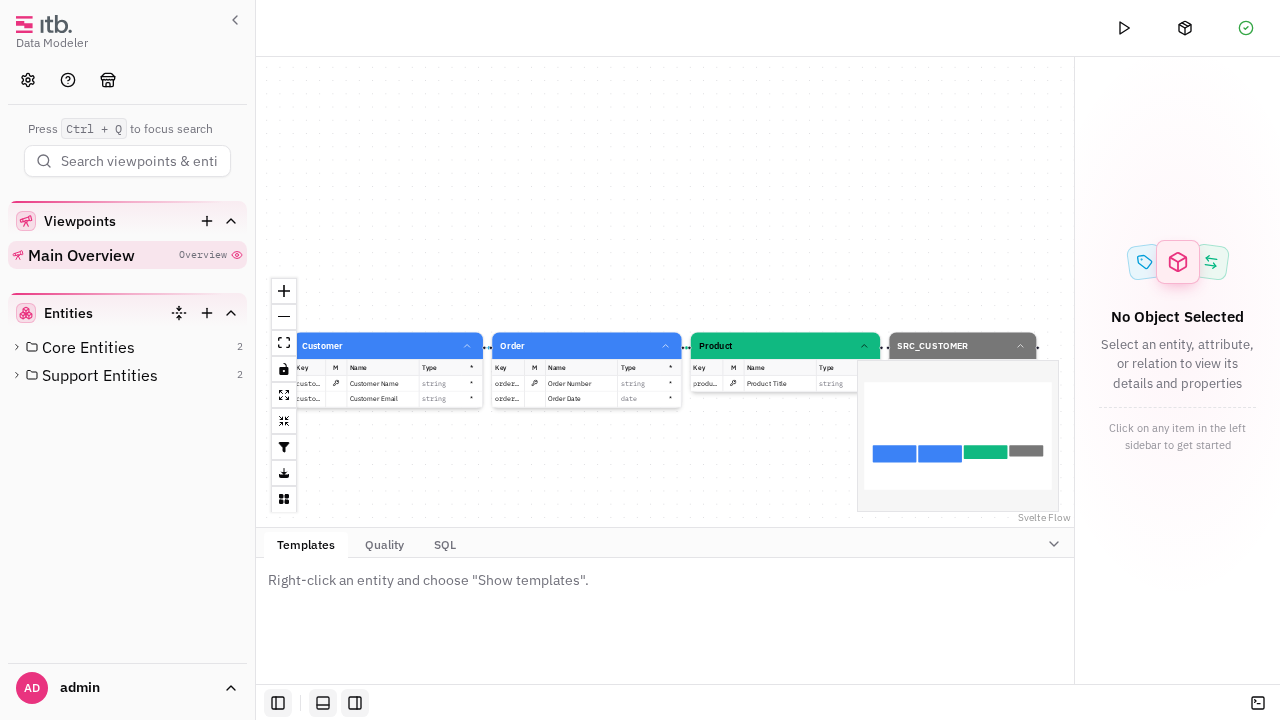
StandardThe workspace has a strip along its bottom edge holding four toggles — the left sidebar, the panel area, the properties pane, and the console. Each pane can also be shut by a chevron in its own top corner.
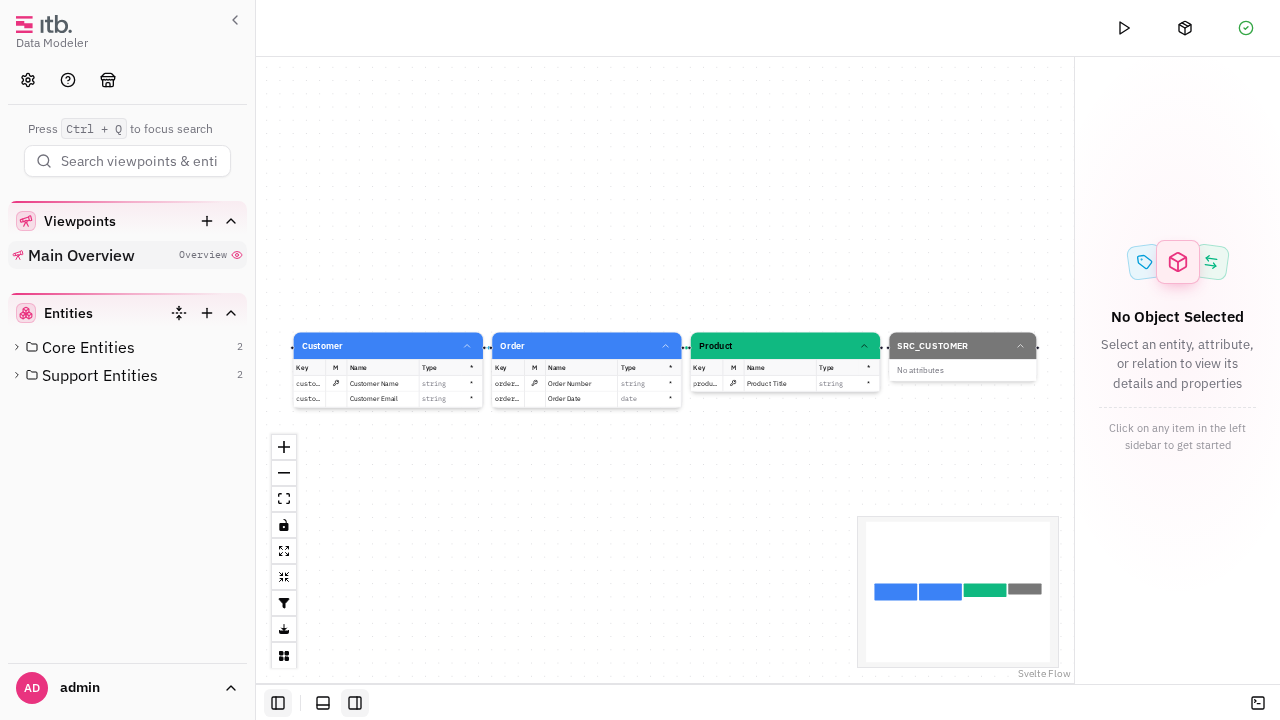
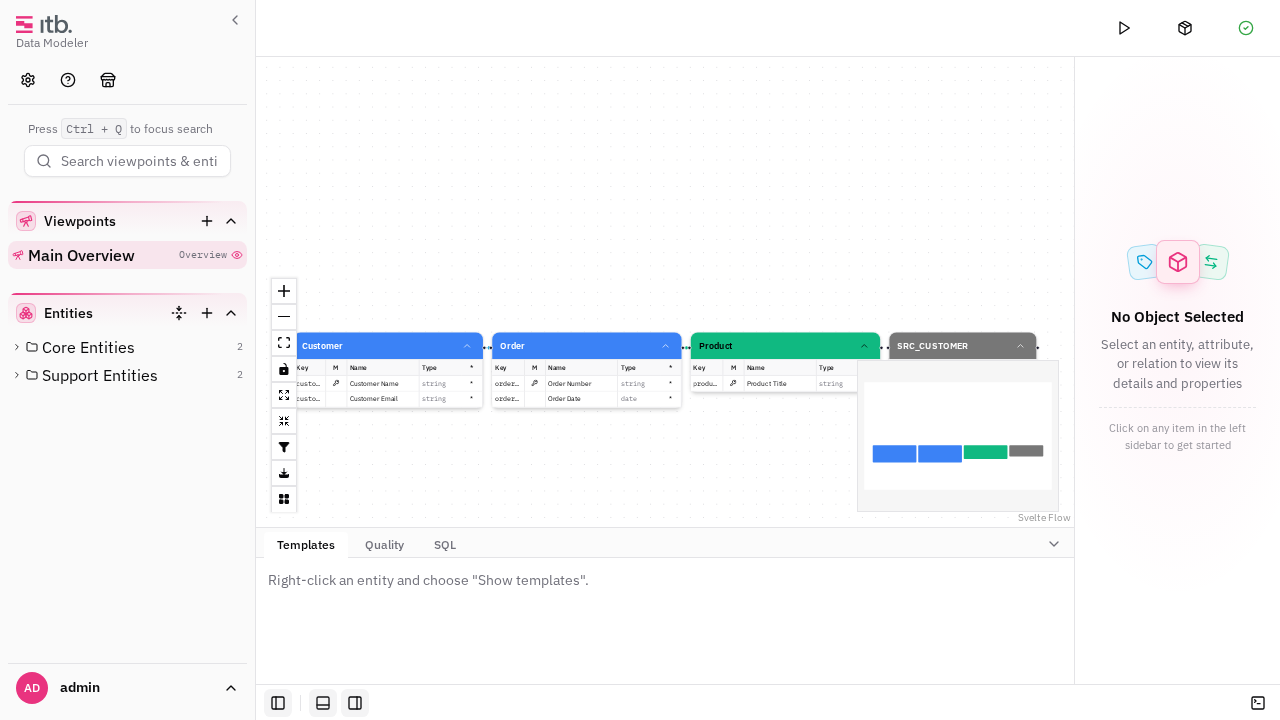

The same business world, modelled twice
StandardThe retail demo gains a second, entirely different half. demo_retail_dv already turns customers, products and orders into dbt models for a Data Vault. The new demo_retail_ebo pack takes the same business world and treats it as business objects — producing a JSON Schema per object and an HTML data-catalog page for the whole model.
Bonsai Runs Quality Rules & SQL
EnterpriseThe Bonsai assistant can now validate and query the model the same way a power user does. Three new agent tools were added: run the quality rule groups (all or one) and get a compact pass/fail report with violation samples, run read-only SQL against the model projection, and look up the queryable schema. A findGroups lookup was also added so the assistant can resolve entity-group ids by name.
Wizards show what they will change on existing objects
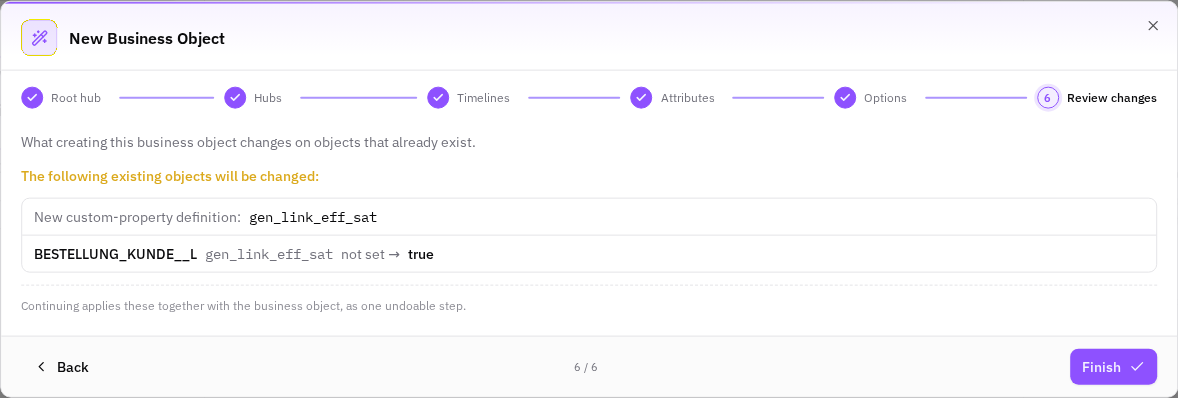
EnterpriseThe Business Object (BO+) wizard gained a final Review changes step. It lists every change the wizard is about to make to objects that already exist in the model — today the Generate Link+ setting on each link the business object includes — with the current and the new value. Continuing applies those changes together with the business object, as one undoable step.
Column picker grouped by entity, and renaming without the mouse
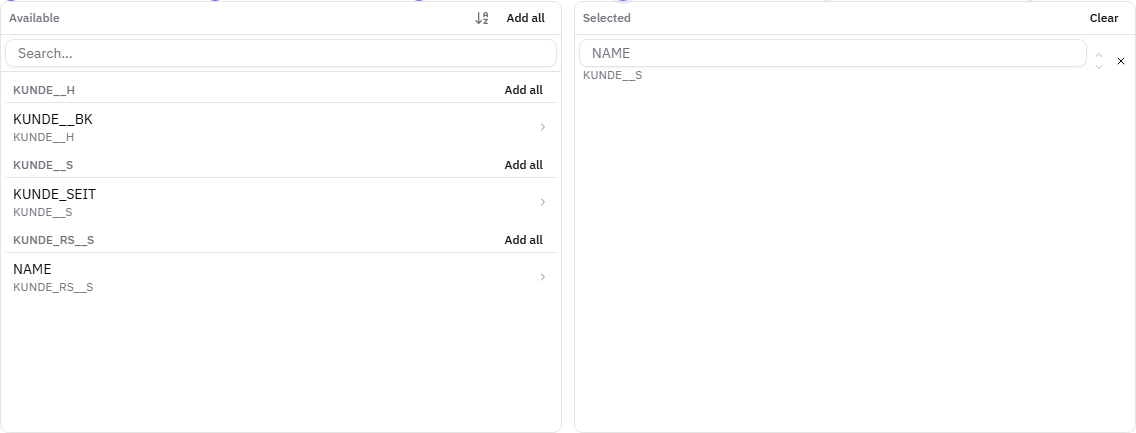
EnterpriseThe column picker used across the Data-Vault wizards now groups the Available pane by the entity each column belongs to, with a heading per group and its own Add all. In the Business Object wizard, where columns arrive from several satellites at once, that turns a long flat list into one block per source.
🏗️ Infrastructure
Open documentation with licence badges, and the use case as a dimension
StandardThe documentation site no longer withholds material by licence level — it publishes it and marks it. Every changelog entry carries a badge saying which licence the change needs (Standard or Enterprise), and the release overview groups its counts by licence so the split is visible before you read a single entry.
A pack declares how it is delivered
StandardA capability pack now states in its own configuration whether it is delivered encrypted or in the open. The field is distribution, it takes exactly two values — encrypted and open — and it is mandatory for a capability pack: there is no default value, and a pack without the field stops the scripts that read it rather than being guessed at in either direction.
One marketplace item installs several components
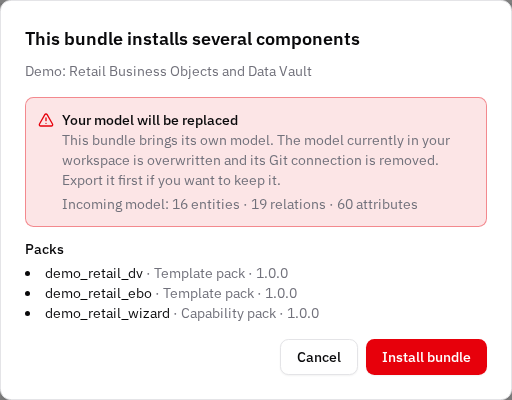
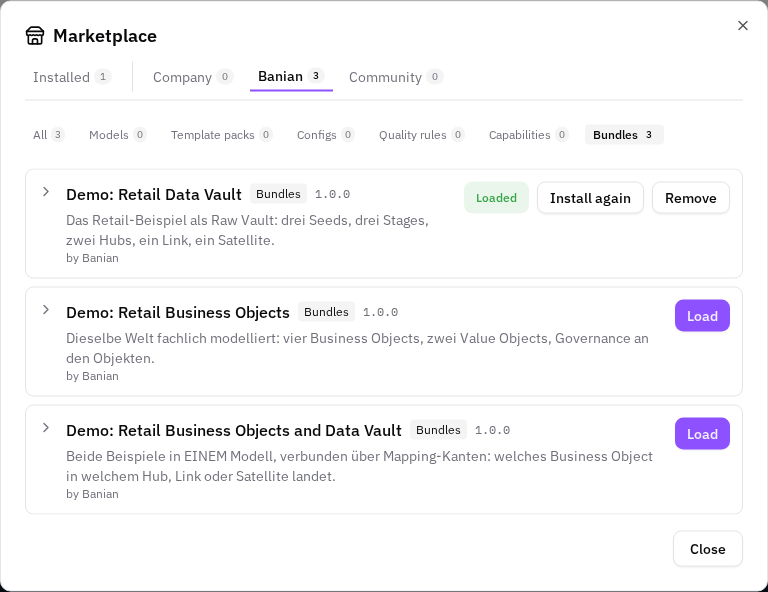
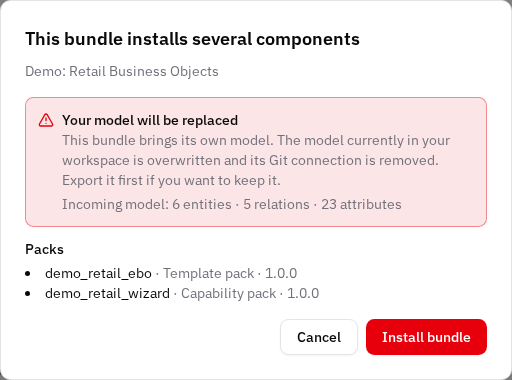
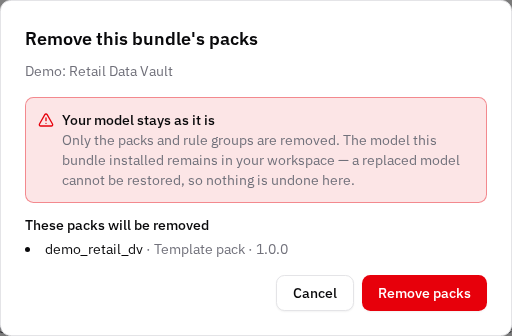
StandardThe marketplace has a sixth group, Bundles. A bundle is one item that installs several components at once — a model with its type configuration, template packs, capability packs and quality rule groups — in the order that makes them work.

🐞 Fixes
Large viewpoints render and pan smoothly
StandardOpening, panning, selecting and expanding entities on large viewpoints (100+ entities, thousands of attribute mappings) is now fast and no longer flickers. Previously such viewpoints could take tens of seconds to appear, stutter badly while panning, and flash the whole canvas when a single node was expanded or selected.
The app becomes usable immediately after loading a large model
StandardLoading a model (on startup or via reload-from-server) now makes the app interactive right away instead of freezing while the model is written to the local browser cache. On a large model the local write can take many seconds; that work now happens in the background.
Version-drift dialog no longer flashes over the app
StandardThe "version mismatch detected" dialog now opens as a real, standing dialog you resolve deliberately, instead of flashing over the whole app and dismissing itself. It also no longer appears at all during dev render-performance testing.
Smooth canvas gestures on large viewpoints (calm culling)
StandardPanning and zooming large viewpoints no longer stutters from the canvas engine's own visibility bookkeeping. Rendering off-screen elements is now managed by a "calm" culling scheme that does all its work between gestures instead of on every frame — the worst measured pan gesture is twice as fast, and zooming a large expanded viewpoint up to ~3× faster.
Slim attribute rows (delegated events, no per-cell tooltips)
StandardAttribute rows in canvas entity nodes are now render-only: row clicks, keyboard activation and the right-click context menu are handled by one delegated handler set per entity table instead of three listeners on every row, the per-cell hover tooltips were removed, and the 🔑 identifier emoji was replaced by a small vector icon. Rows look and behave the same.
Batched attribute-edge layer on large viewpoints
StandardOn large ("heavy") viewpoints, the thousands of attribute-mapping lines between expanded entities are now drawn as a handful of merged vector paths instead of one component per line. The lines look pixel-identical and stay fully interactive (click to select the relation, right-click for its context menu), but panning and zooming an expanded large viewpoint runs essentially zero per-line code — the measured worst case (200 entities, dense mappings) spent 5.4 s of script per pan before, 23 ms after.
Pack settings show readable names instead of internal keys
StandardWhen a template pack needs a setting your model does not have yet, the Align model with template pack action creates it for you. Those auto-created settings arrived carrying their internal key as their name, so the properties panel listed entries like gen_link_eff_sat, hub_bk_mode and meta_dt_filter.
Installing a capability pack no longer fails when its base is missing
StandardA capability pack — the Data Vault wizards, for example — needs the template pack whose vocabulary those wizards create. In the Marketplace the capability pack offered Load even when that base was not installed, and the attempt then failed with a conflict message.
The Quality tab failed once a rule pack was installed
StandardInstalling a quality rule pack from the Marketplace broke the Quality tab: the list of rule sets stopped loading and reported an error instead.
Renaming a relation type no longer switches its templates off
StandardRelation types are matched by their key now, the way entity and attribute types always were. Rename Business Key Mapping to something that suits your model, and generation keeps working.
Wizards keep your input when you step back
StandardEvery multi-step wizard now redisplays what you already entered when you go back a step, and carries it through to Finish unchanged. Previously a step you returned to came up as if it had never been filled in — and the blank fields it showed were then written over your real answers, so the object was created from the wizard's defaults rather than from what you typed.
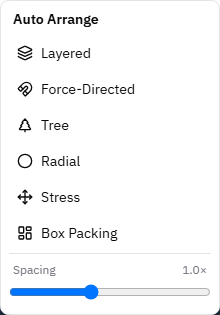
Auto-arrange runs again when you pick the same layout
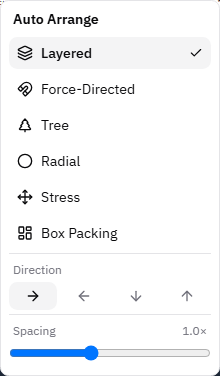
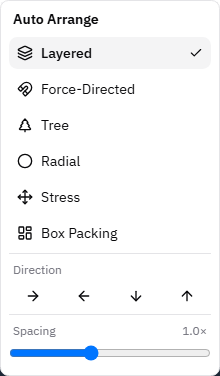
StandardClicking a layout in the Auto-Arrange menu now re-runs it, including the one already ticked. Previously, picking a directional layout — Layered or Tree — only opened the Direction row and waited, so choosing the layout you already had did nothing at all.
The attribute collapse arrow on a canvas node points the right way
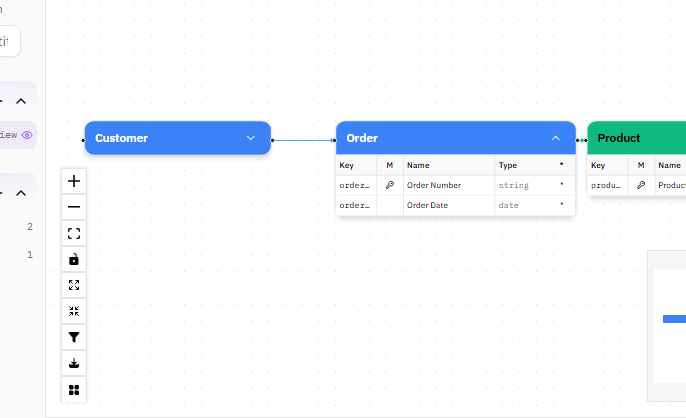
StandardThe arrow that shows and hides an entity's attributes on the canvas pointed the wrong way round. A collapsed node showed an upward arrow and an expanded node a downward one — the opposite of the collapsible sections in the left sidebar, where a closed section points down and an open one points up.
The relation between two collapsed entities is the one you see
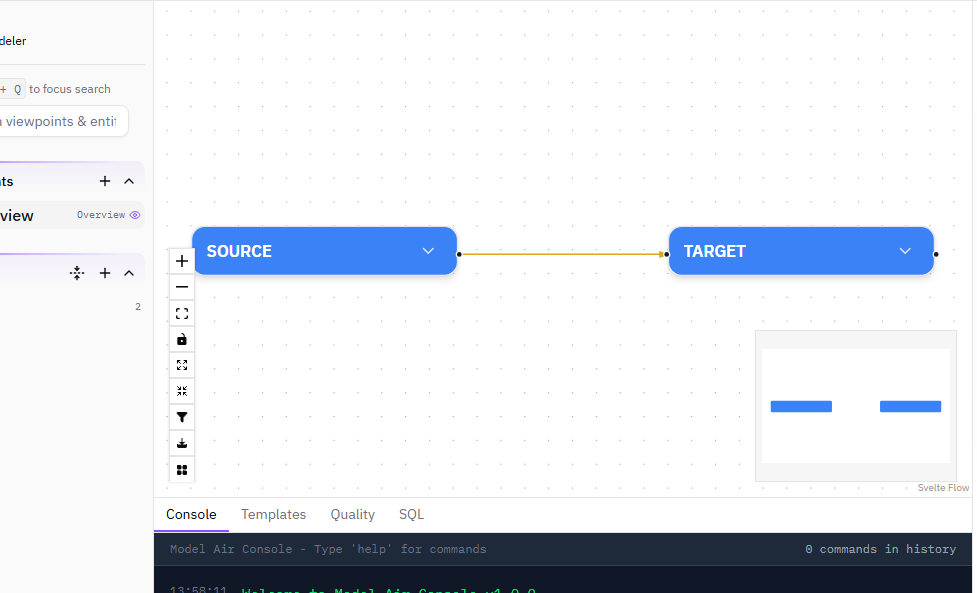
StandardWhen two entities on the canvas are collapsed, the line between them is now the entity-to-entity relation. Previously an attribute relation was drawn over it: collapsing an entity merges its attribute lines onto the same route as the entity relation, and the attribute line was painted last, so it covered the relation underneath.
Which packs are installed
StandardTwo places in the client answered the question "what do I have installed?" wrongly, in opposite directions.
Auto Arrange opens with nothing selected
StandardThe Auto Arrange menu on the canvas no longer opens with a layout ticked and a direction highlighted. It opens as a plain list of layouts, and it returns to that state after every run. Picking a directional layout — Layered or Tree — shows the Direction row and waits for you to choose; picking a direction runs it.
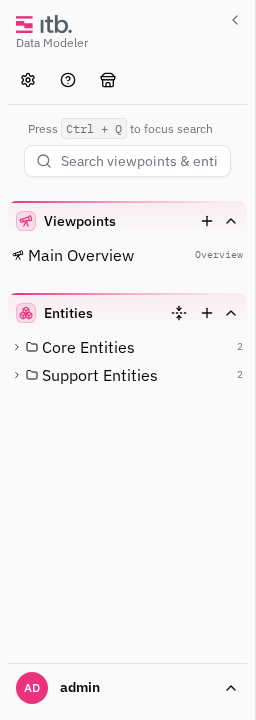
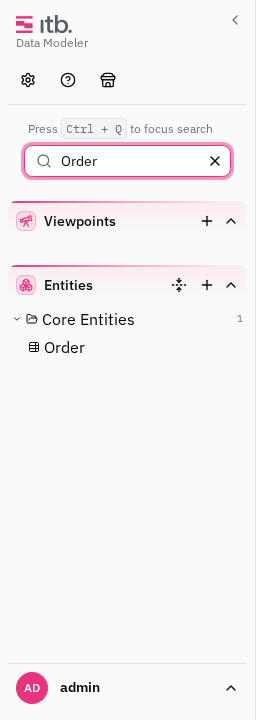
A search in the entity tree keeps the folders above its matches
StandardSearching the left sidebar no longer throws the tree away. A match is shown where it lives — inside its folder, with the folders above it — and folders holding nothing that matches drop out entirely. Search a folder's own name and it comes back whole, with everything in it.
Propagate Attributes finds a path over any modelled relation
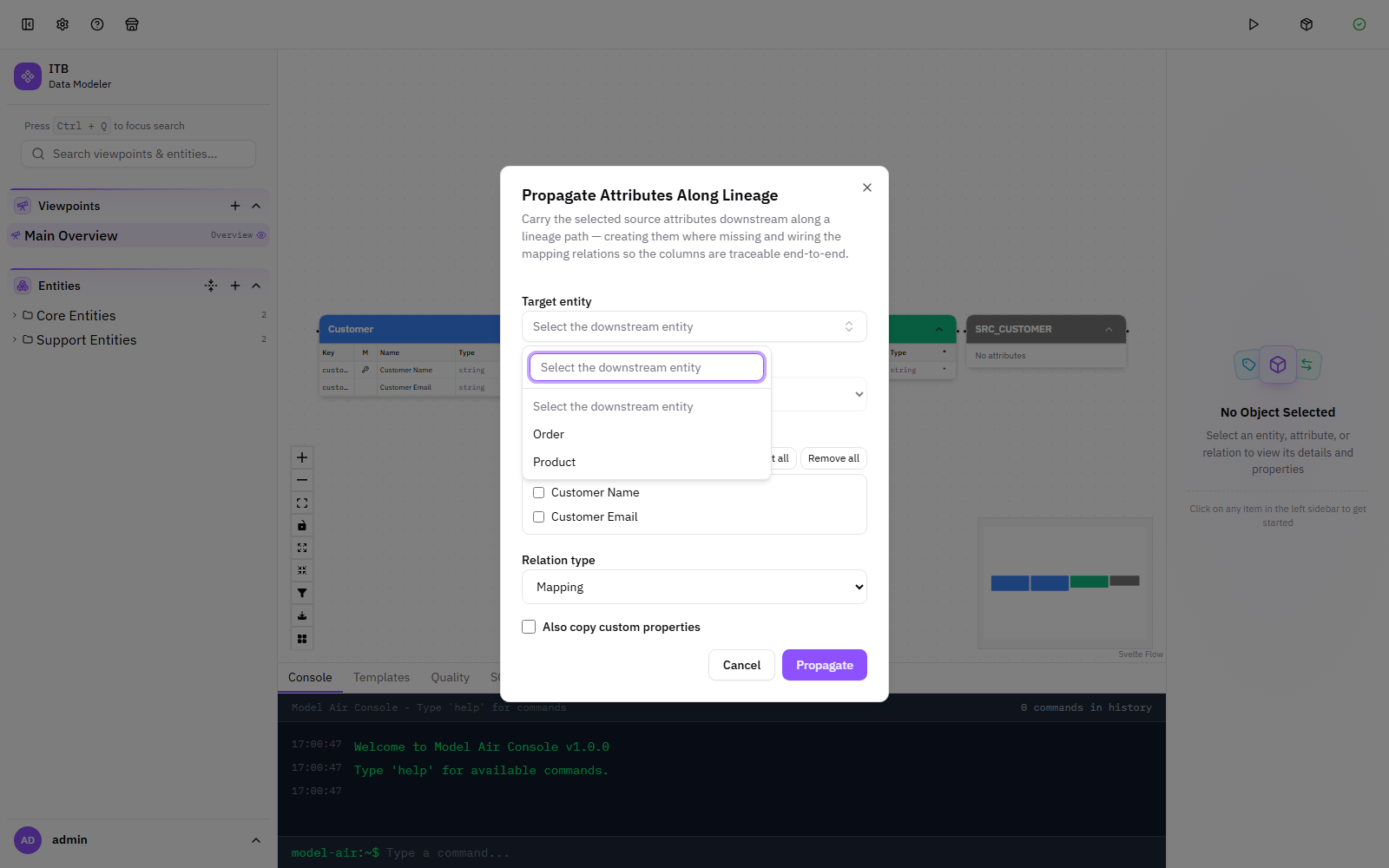
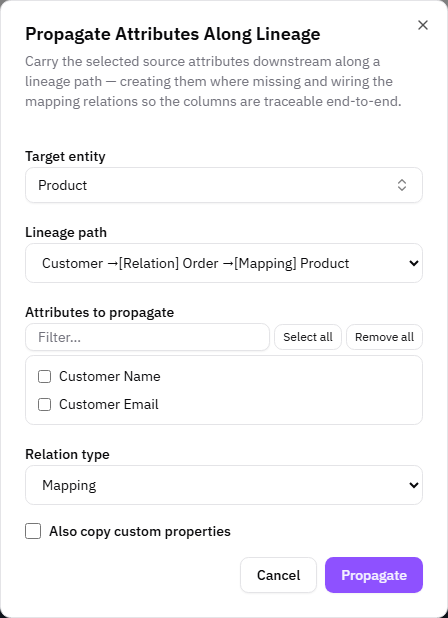
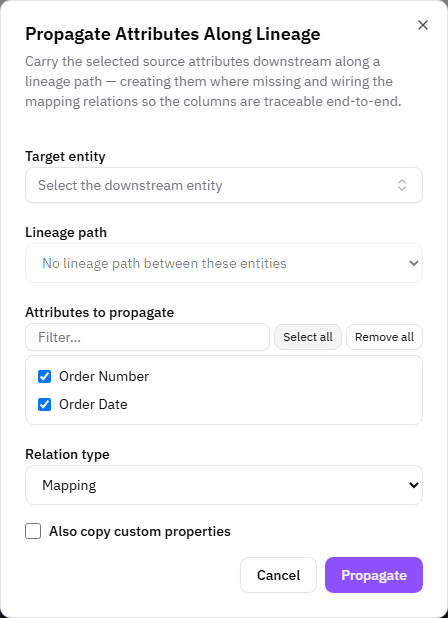
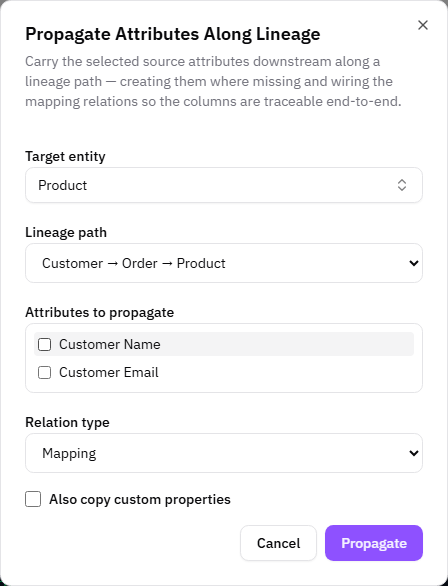
EnterprisePropagate Attributes Along Lineage now finds a path whenever the two entities are connected at entity level. Previously it only followed relations that already carried column mappings, so a target joined by an ordinary relationship or a dependency reported "No lineage path between these entities" and left the path picker greyed out.
An empty workspace is no longer reported as a version conflict
EnterpriseYour first edit in a workspace that has never been saved raised "Version mismatch detected" and then failed to save. There was no mismatch — there was simply no model on the server yet. The first edit now takes the lock and the first save creates the model, which is what was always intended.
Installing a capability pack now sets your model up for it
EnterpriseInstalling the Data Vault pack into a fresh model gave you the wizards and nothing to build with — the model had none of the entity types, relation types or custom properties those wizards create. The install reported success, and nothing said otherwise.
Propagate Attributes offers only targets it can actually reach
EnterpriseThe Target entity list in Propagate Attributes Along Lineage now contains only the entities that are actually connected downstream of the source, sorted by name. The lineage path list is sorted shortest route first and names the relation type of every hop. The attribute picker gained Select all, Remove all and a filter, and lists the source entity's columns in the entity's own order.