0.1.1 (Client)
ITB 0.1.1 makes a model traceable end to end — lineage for attributes and entities — and opens it to models managed elsewhere, with Bonsai arriving as a modelling assistant.
Part of ITB 0.1.1 release - See master release
✨ New Features
System Information Sections & License Details
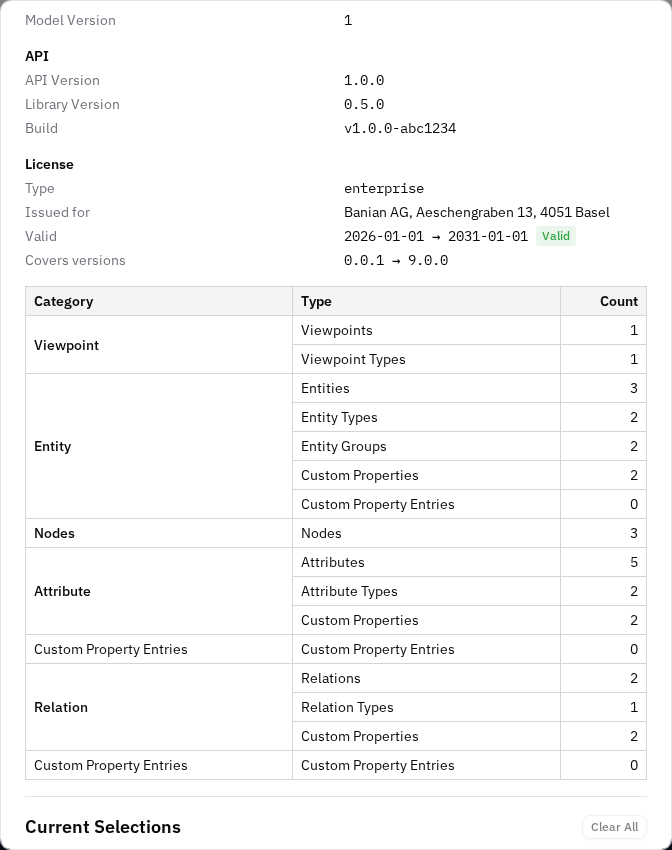
StandardThe System Information dialog (Ctrl + I) now groups version details into clear sections — Client, API, and License — instead of a single flat list. The Client section shows the client version, build, and model version; the API section shows the API version, library version, and a new Build value sourced from the server (shown as "none" until the server reports it). A new License section displays the running instance's licensing: type, who it was issued for, its validity window with a colour-coded status badge, and the version range it covers.
Richer auto-arrange (per-algorithm ELK options, direction & spacing, persisted defaults)
StandardThe canvas Auto Arrange control now configures ELK correctly per algorithm and exposes two new controls:
Hide / show viewpoints & entity groups in the left sidebar
StandardThe left sidebar can get long. You can now declutter it by hiding viewpoints and entity-group folders you don't currently care about, via the right-click menu. Each list (Viewpoints, Entities) gets a small show-hidden toggle in its header that appears only once something is hidden — flip it to reveal hidden items (dimmed, with an eye-off icon) so you can unhide them.
In-app documentation follows the UI language
StandardThe Help menu's Documentation link now opens the user guide in the same language as the app. When the UI is set to German, it opens the German documentation (…/user-docs/de/); in English it opens the English guide (…/user-docs/). The interactive API Documentation (Swagger) link is unchanged.
Wizards can open wide, and picker rows read attribute-first
StandardTwo readability capabilities for any wizard, both driven by a user report that wizard modals were too narrow on large screens and that column-picker rows cut off exactly the text which distinguished them:
Configurable Copy-with-Relation Wizard
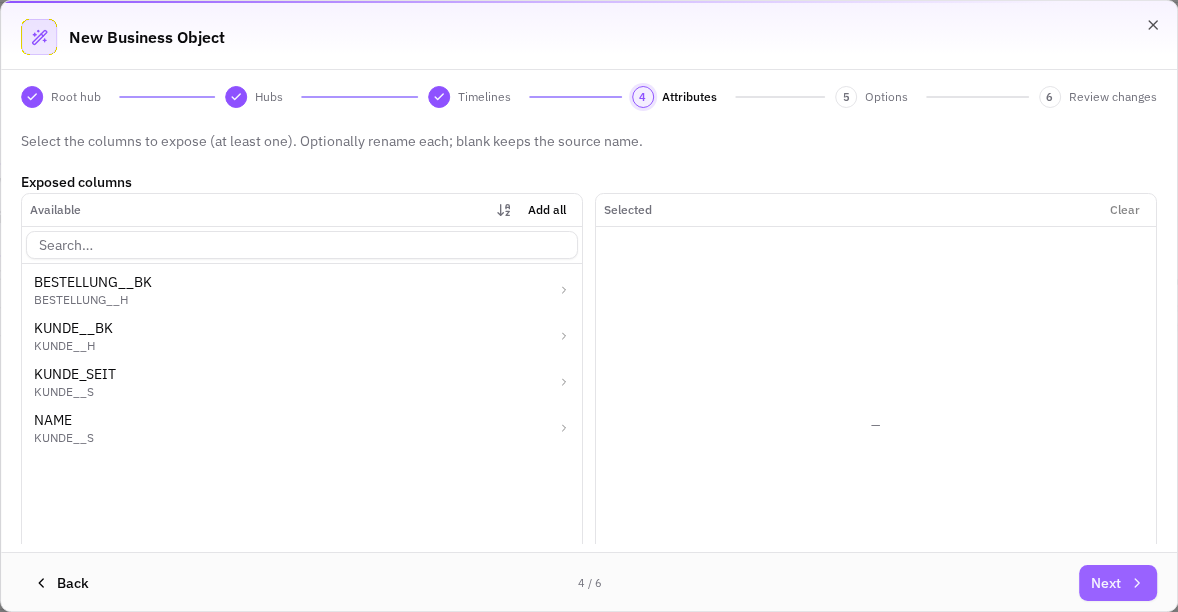
EnterpriseThe Copy (original → new) and Copy (new → original) actions now open a short wizard so you can configure the copy before it is created. You can edit the name of the copy, choose whether to create the entity-level and attribute-level relations and which relation type each uses, and choose whether to place the copy on the current viewpoint. Everything is prefilled with sensible defaults, so accepting them reproduces the familiar copy — plus the copy now appears on the canvas.
Create Entities from JSON (Canvas Background Menu)
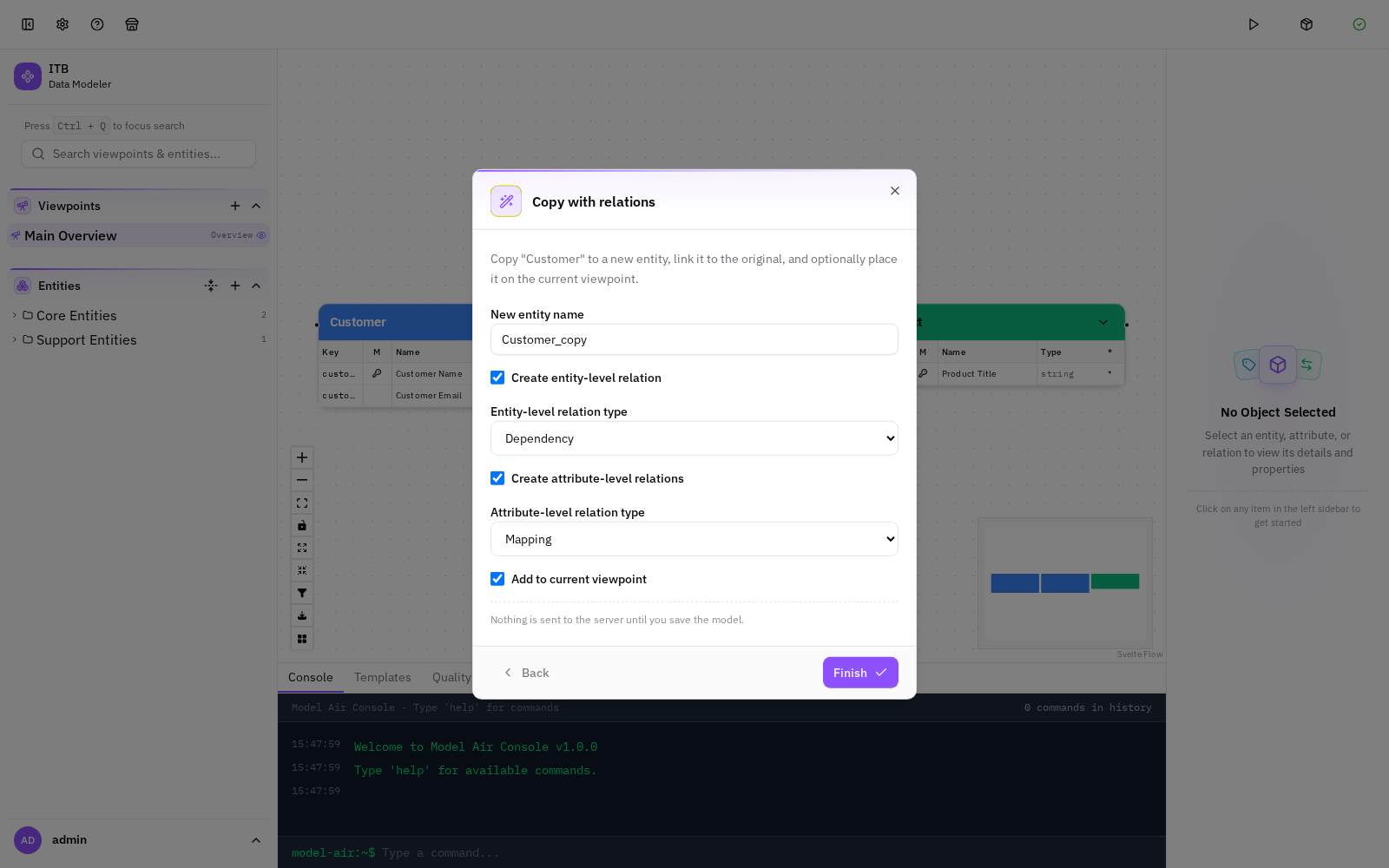
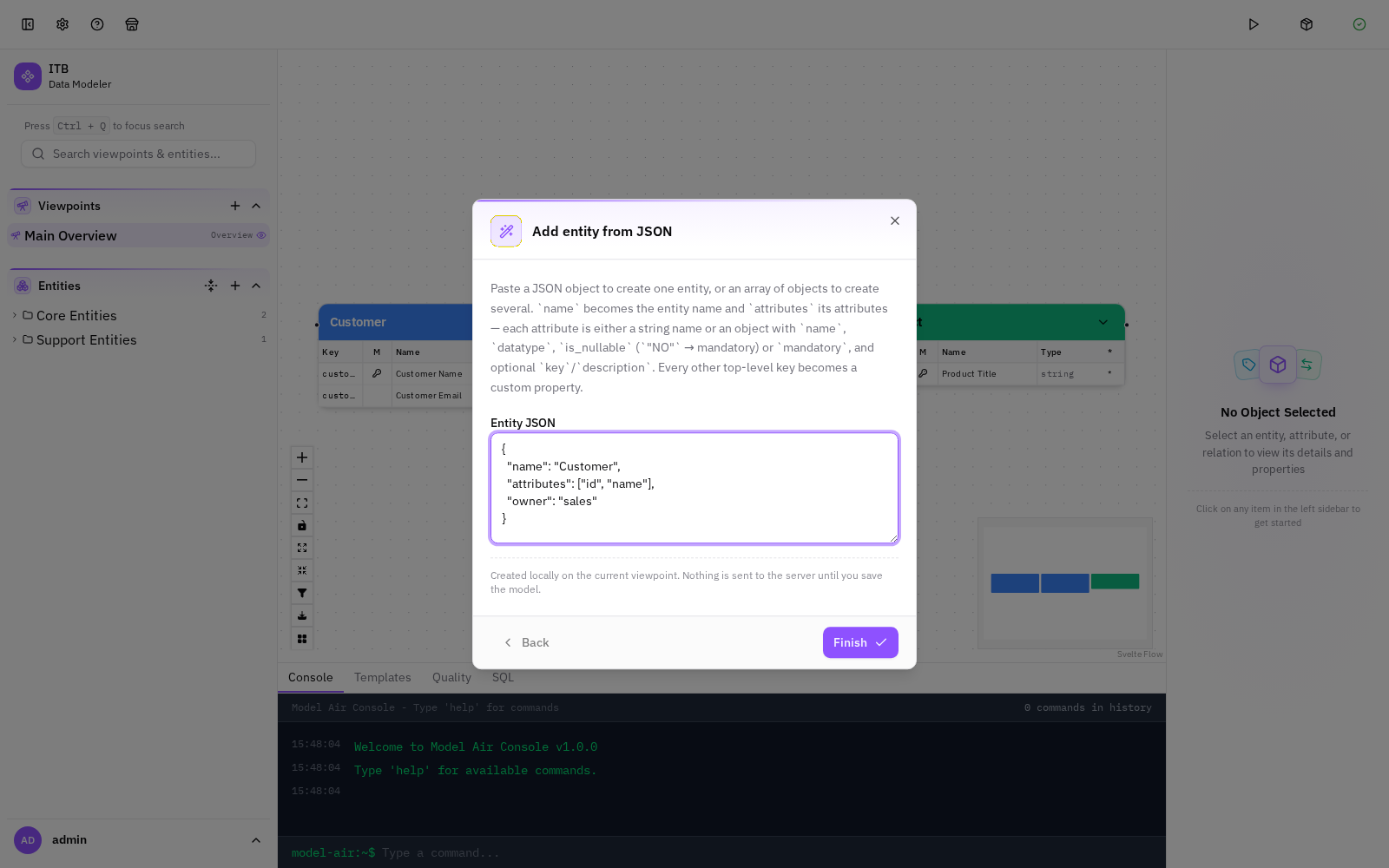
EnterpriseRight-clicking the empty canvas now opens a menu with Add entity, Add entity from JSON, and Deselect all. Add entity from JSON (full edition) opens a wizard where you paste a JSON object — or an array of objects — and the modeller creates the matching entities locally. name becomes the entity name, attributes its attributes (a list of names, or objects with datatype/mandatory/…), and every other key becomes a custom property on the entity. New entities are placed on the canvas at the point you clicked.
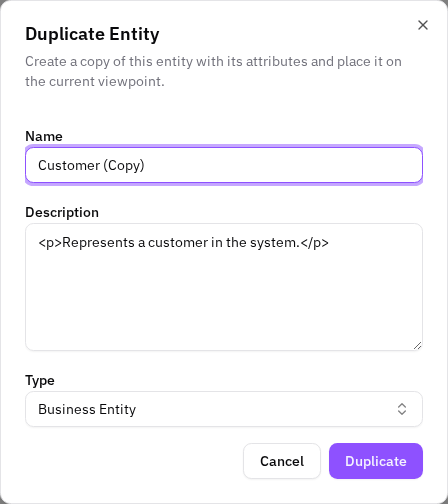
Duplicate Viewpoint + Duplicate Entity name form
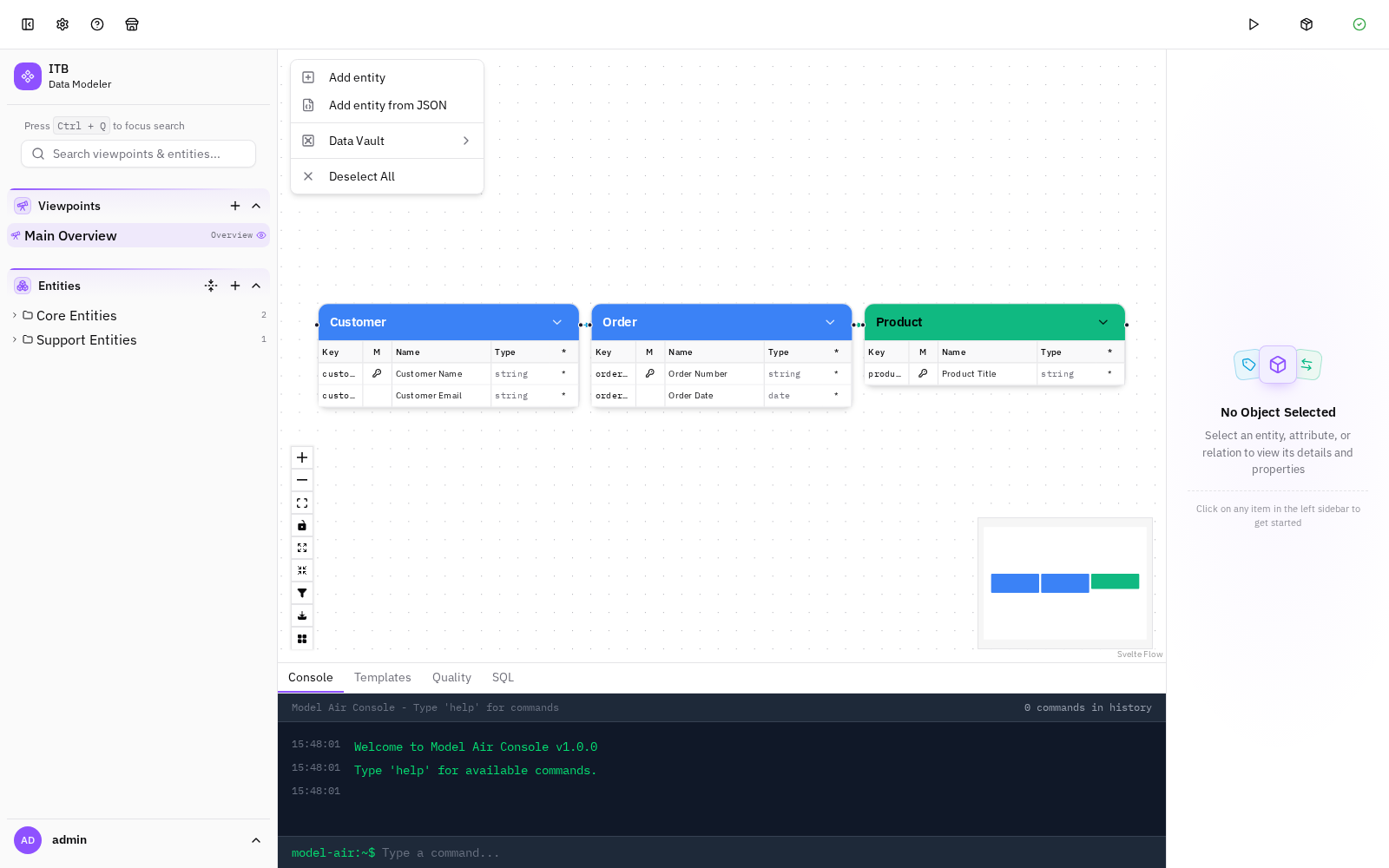
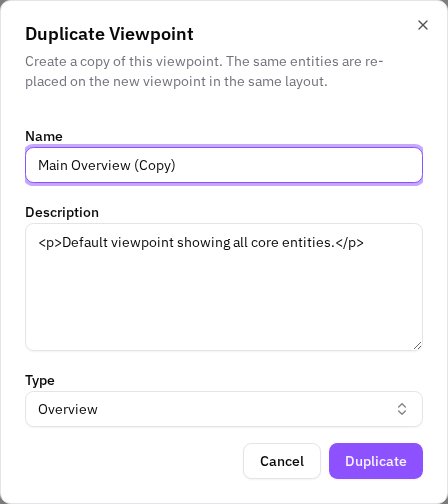
EnterpriseYou can now duplicate a viewpoint: right-click a viewpoint in the left sidebar and choose Duplicate Viewpoint. A short form opens, pre-filled with the viewpoint's name (suffixed (Copy)), description, and type — edit any of them and confirm to create a copy. The new viewpoint shows the same entities in the same layout as the original (the entity boxes are re-placed at their original positions, and their relationships appear automatically).
Import & sync externally-managed data
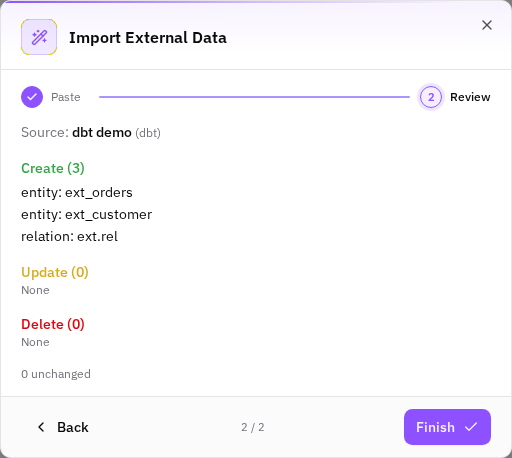
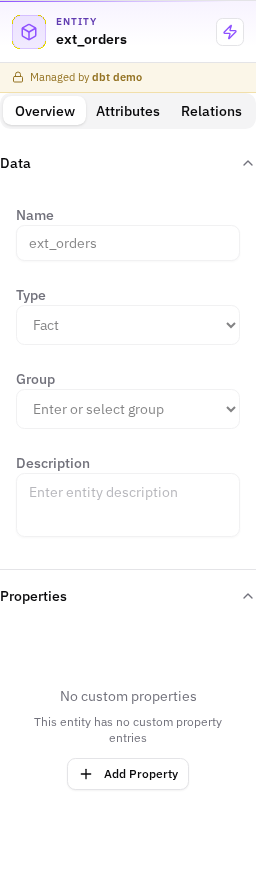
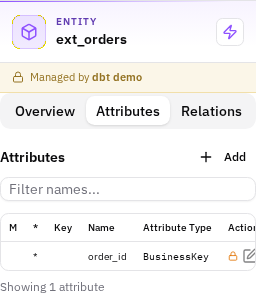
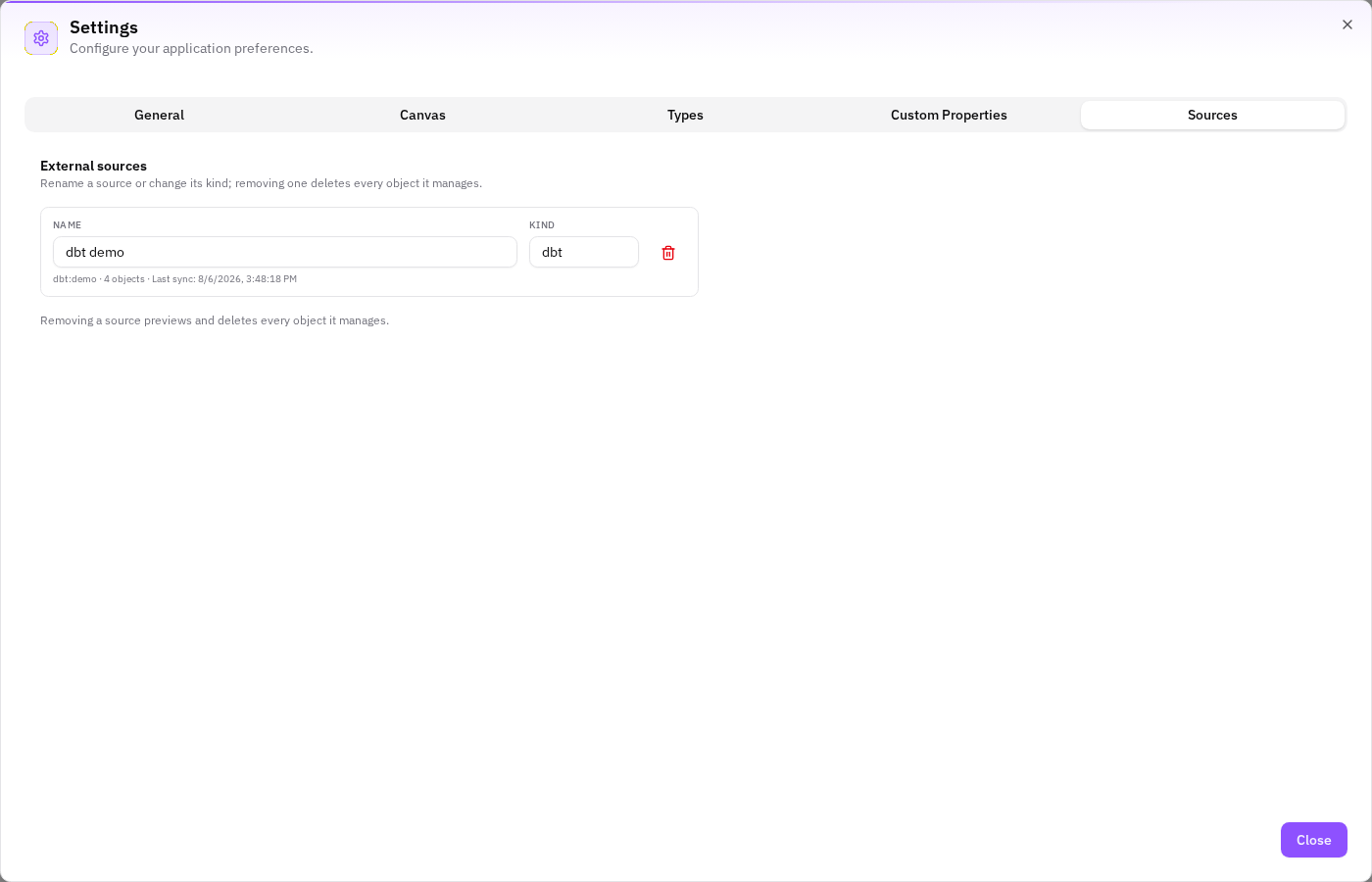
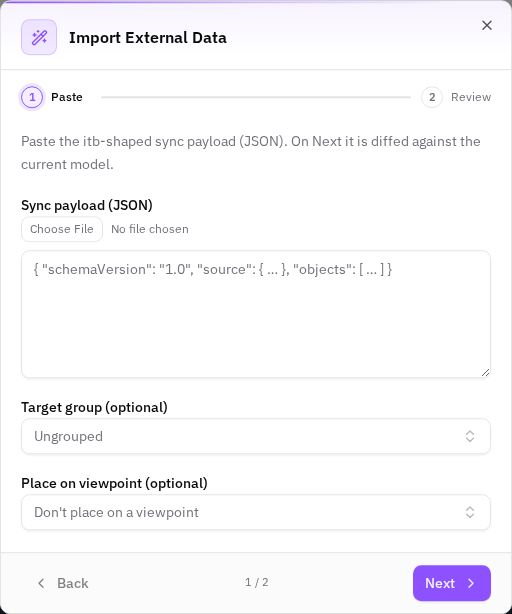
EnterpriseThe modeller can now import data that is owned by an external source (a dbt project, a Snowflake or Power BI model, …) and keep it in sync. A new Model Actions → External → Import External Data wizard takes an itb-shaped JSON payload, shows a preview of exactly what will change (create / update / delete, with warnings where a change touches your own work), and on confirmation applies it as a single, undoable operation.
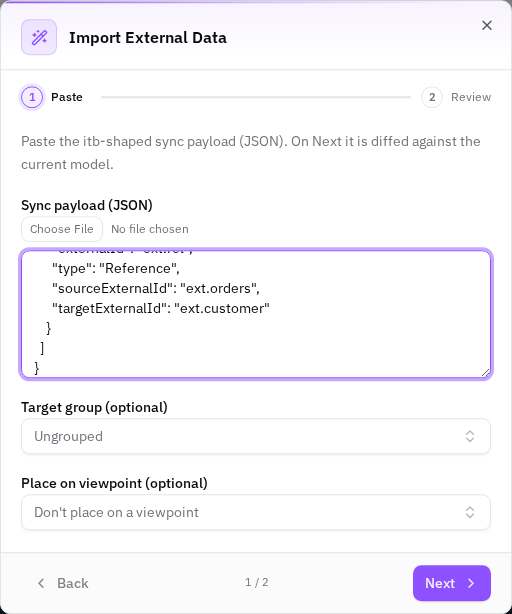
Sync relation custom properties + load the payload from a file
EnterpriseTwo Phase-2 additions to Import External Data (ui-050), shipped together:
Propagate attributes along a lineage path
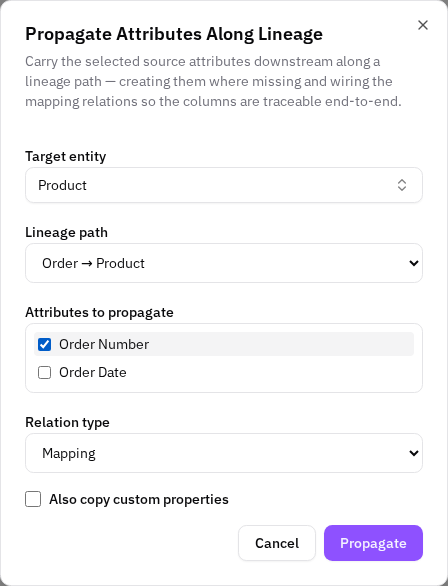
EnterpriseWhen a source entity gains a new attribute, you can now carry it downstream to a target entity in one step. Right-click a source entity on the canvas → Propagate Attributes…, pick the target, the lineage path, and the attribute(s) to carry. The tool creates the attribute on each entity along the path where it's missing and wires the attribute-level mapping relations so the column is traceable end-to-end. (Enterprise / full edition.)
External sync adopts objects you already added by hand
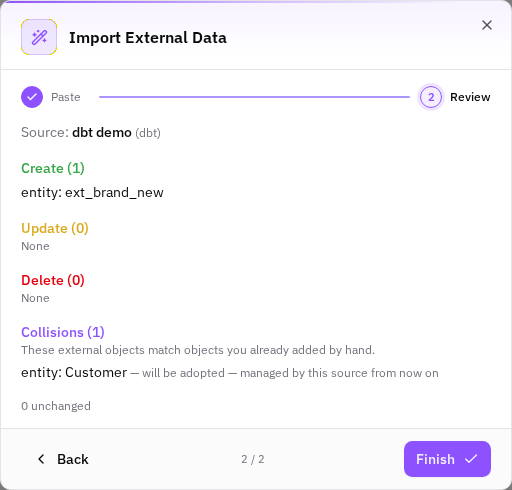
EnterpriseWhen you import & sync externally-managed data, the sync now reconciles incoming external objects against ones you previously created by hand. If the source starts delivering an object that matches something already in your model (but that wasn't yet managed by that source), the sync adopts it — the existing object is claimed by the source and becomes managed (read-only) from then on — instead of silently creating a duplicate.
Trace an attribute's lineage into a viewpoint
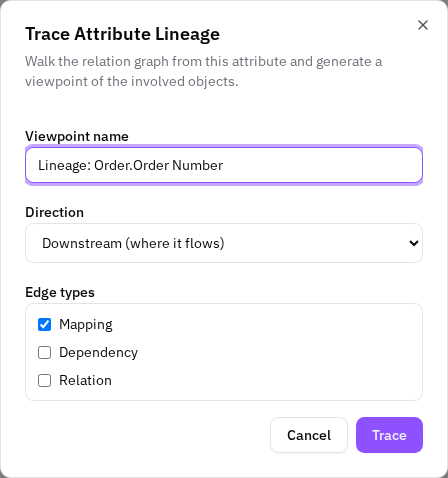
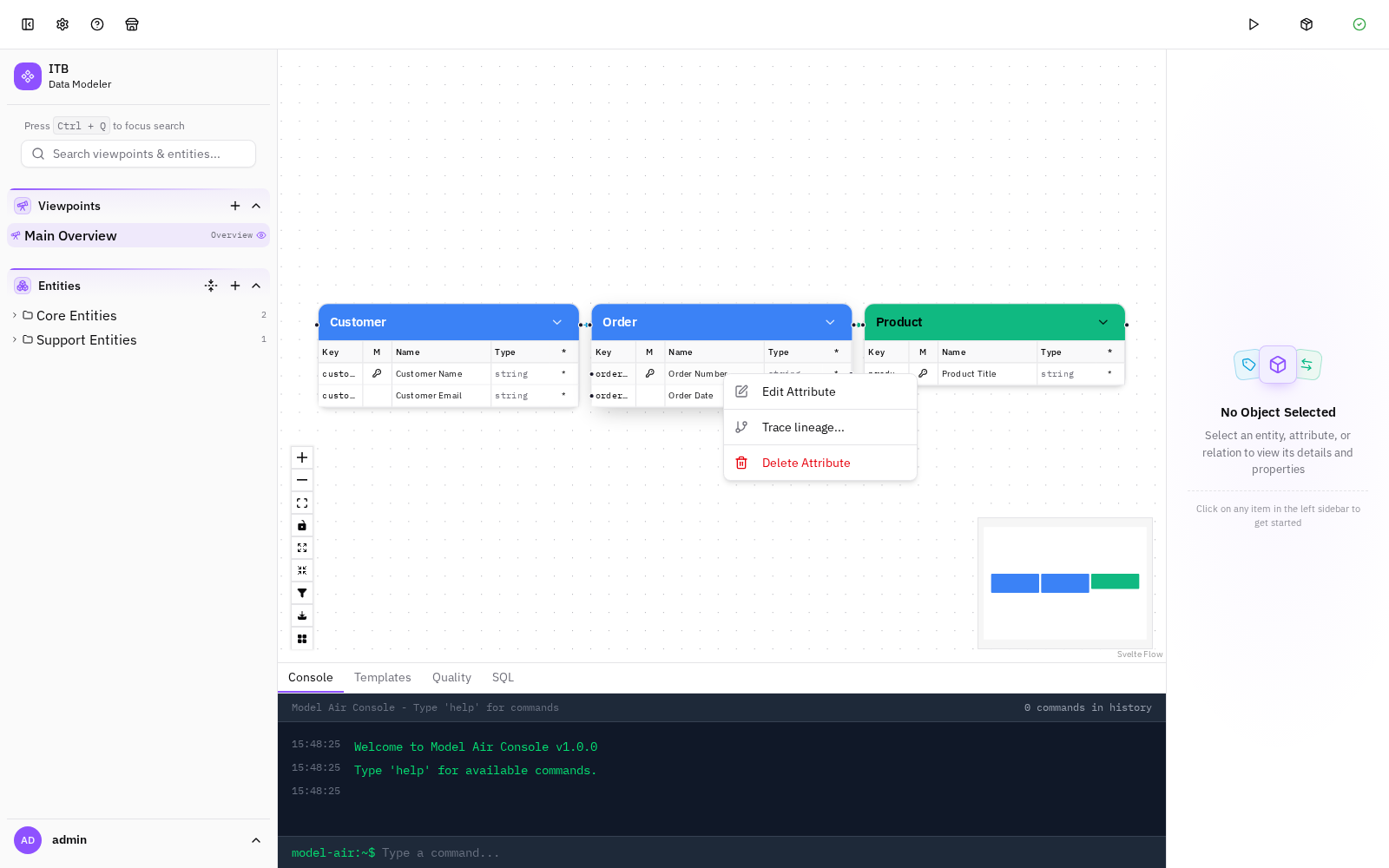
EnterpriseYou can now trace where a specific attribute's data comes from or flows to and see it as a dedicated diagram. Pick an attribute, choose a direction and which relation kinds count, and the tool walks only the relations that attribute participates in — upstream and/or downstream — and generates a freshly named "Attribute Lineage" viewpoint containing just the involved entities, laid out left to right by hop distance. The attribute-level lineage edges render automatically on the new viewpoint. When the viewpoint is created the app immediately switches to it so you can see the result straight away. (Enterprise / full edition.)
Trace an entity's lineage into a viewpoint
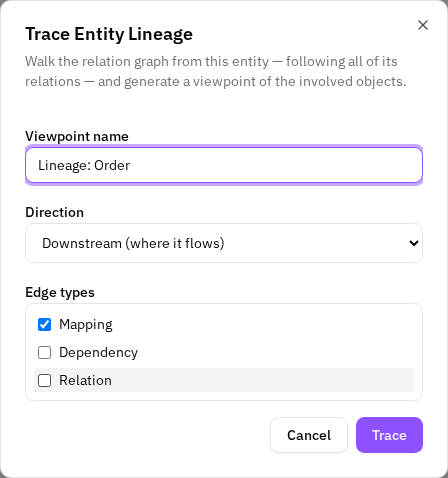
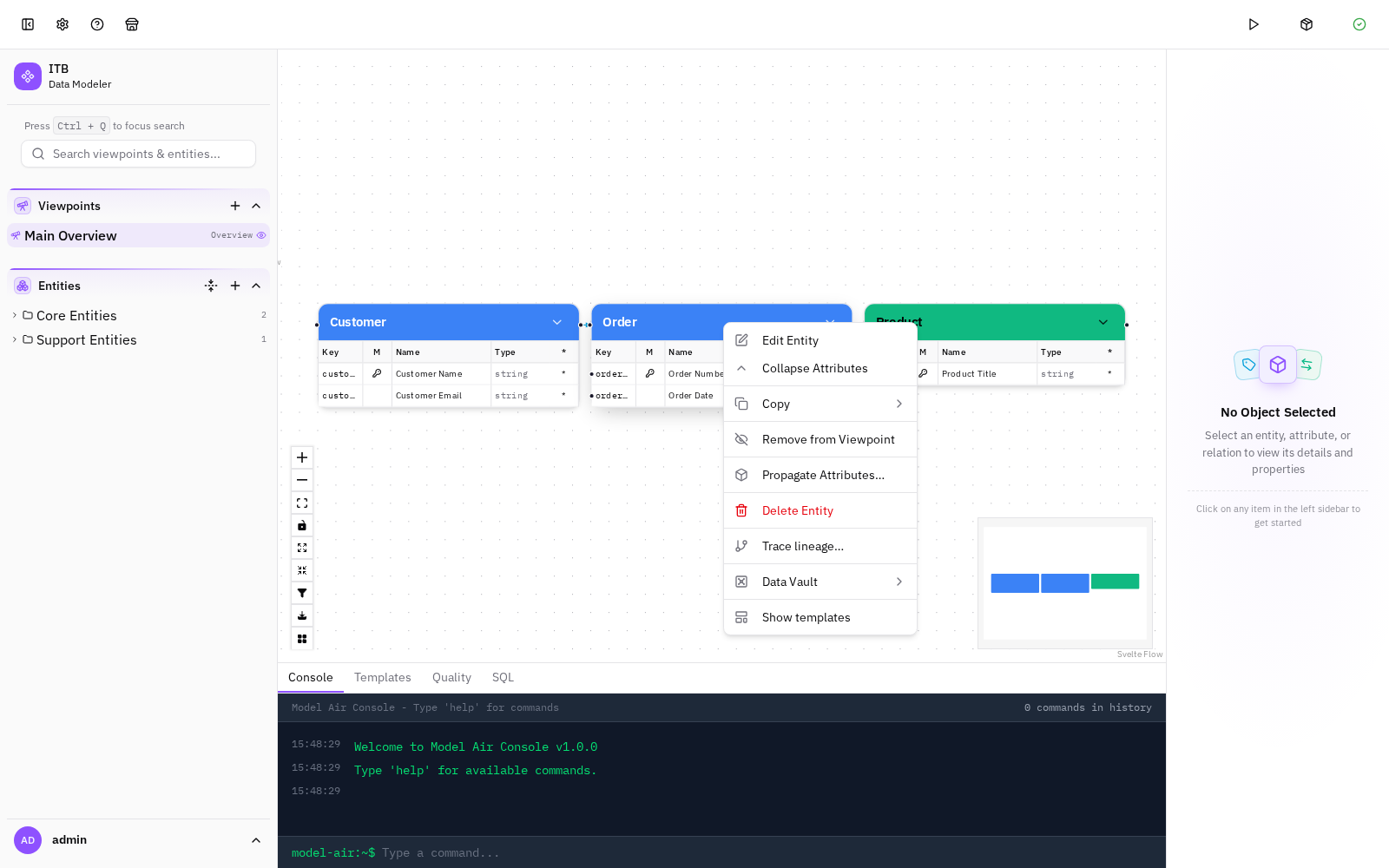
EnterpriseYou can now trace where an entity's data comes from or flows to and see it as a dedicated diagram. From any entity, choose a direction (downstream / upstream / both) and which relation kinds count, and the tool walks all of the entity's relations — both attribute-level and entity-level — and generates a freshly named "Entity Lineage" viewpoint of the involved entities, laid out in flow order. The app immediately switches to the new viewpoint on creation. (Enterprise / full edition.)
Bonsai — AI modelling assistant (Review mode)
EnterpriseA new Bonsai tab in the bottom panel lets you chat with an AI assistant about your model. The first mode is Review: you ask it to critique the model and it streams back a structured, Data Vault / DWH-aware assessment — untyped objects, layer/type/suffix mismatches, malformed hubs/ satellites/links, naming and datatype inconsistencies, orphaned entities, and more. Review is read-only: the assistant can inspect the model but cannot change it.

Bonsai — command flyout & localized command messages
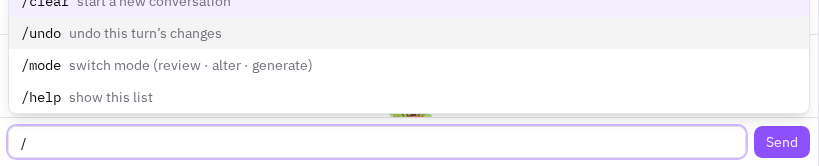
EnterpriseTyping / in the Bonsai chat now opens a command flyout listing the available chat commands (/clear, /undo, /mode, /help) with a short description of each. The list filters as you type (/u narrows to /undo), and once you type /mode it offers the available modes (Review · Alter · Generate). Choosing an entry — by clicking or with ↑/↓ then Enter/Tab — completes it into the input so you can review (and add an argument) before sending; Esc dismisses the flyout.
Bonsai write modes — Alter and Generate
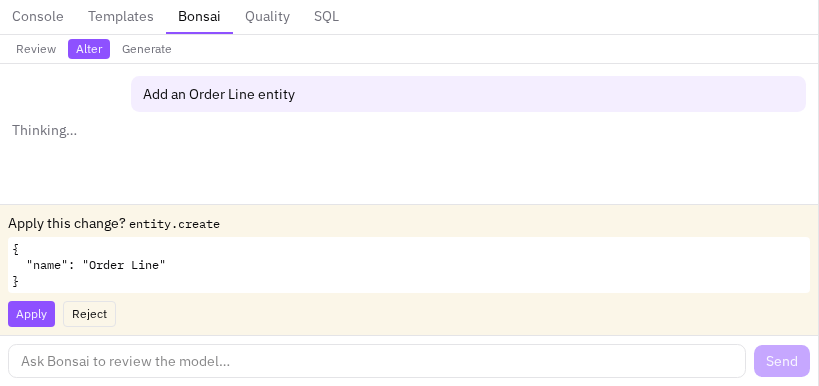
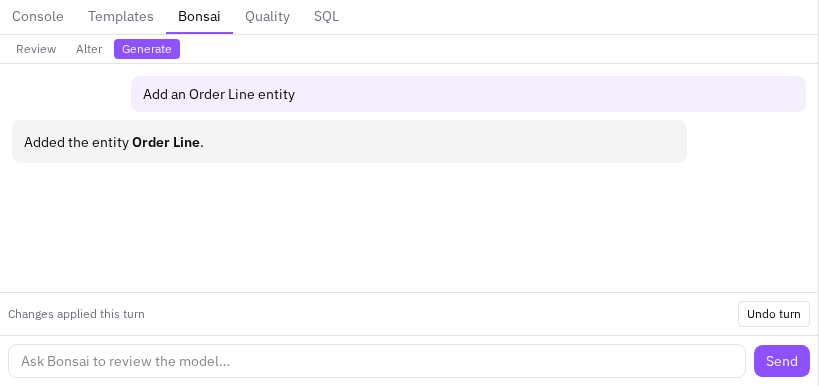
EnterpriseBonsai gained two modes beyond Review, switched with the buttons above the chat or with /mode:
Field-engine default primitives (smarter, safer wizard fields)
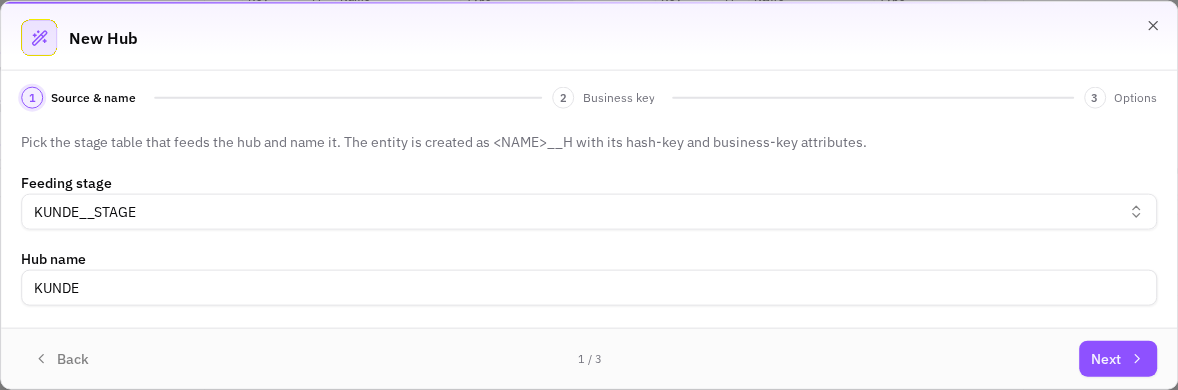
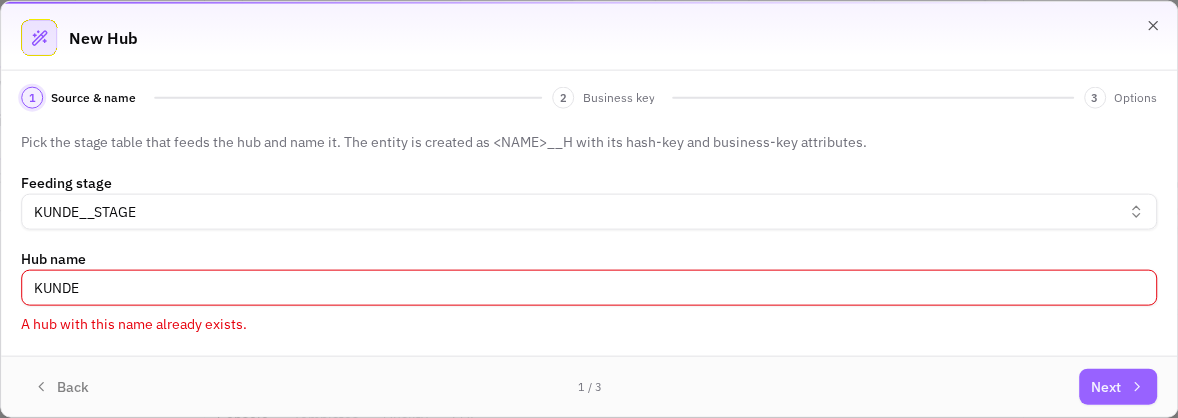
EnterpriseFour generic, descriptor-only enhancements to the shared form/wizard field engine that make prefilled fields both safer and less typing, wired into the Data-Vault wizards (Hub / Satellite / Link / Business Object / Attach-source):
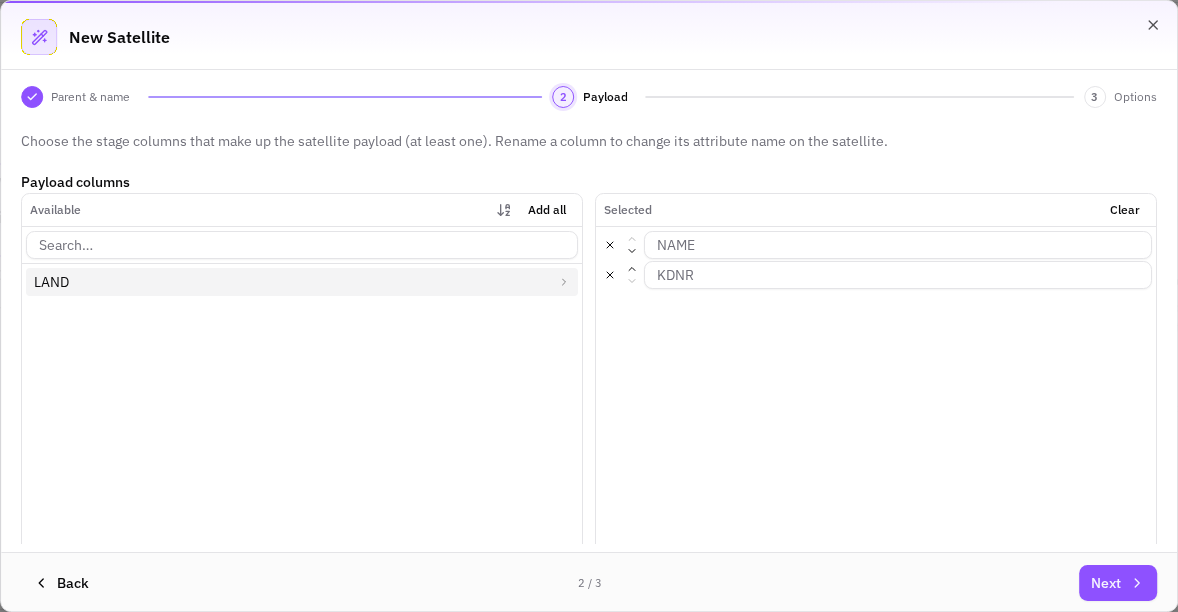
Transfer-list ordering (source-order default, A–Z view toggle, selected-pane reorder)
EnterpriseThree improvements to the shared dual-pane column picker (the transfer list) used by every Data-Vault wizard step that picks columns — satellite payload, hub / attach-source business keys, link hub slots, and the Business-Object column list:
🏗️ Infrastructure
lazy elkjs, sync messages in i18n, PocketBase → ITB rename, new field widgets
Standard
Four unrelated cleanups that landed together with the ELK layout variety work:
API-deliverable capability i18n
StandardCapability labels (button/menu titles, form field labels, placeholders, wizard steps, toast messages) used to live in the client's monolithic messages.ts dictionary, mixed in with app-shell strings. They are now split out so a capability owns its strings as data: every descriptor references its own overlap-free capabilities.<id>.* namespace, and those strings live in per-locale JSON under registry/i18n/{public,enterprise}/{en,de}.json.
transform auto-registration, primitive-coverage diagnostic, declarative source-prefill
StandardThree capability-architecture improvements toward the "adding a capability = JSON, adding a primitive = a file" goal (retro gap-analysis #3, #4, #6):
🐞 Fixes
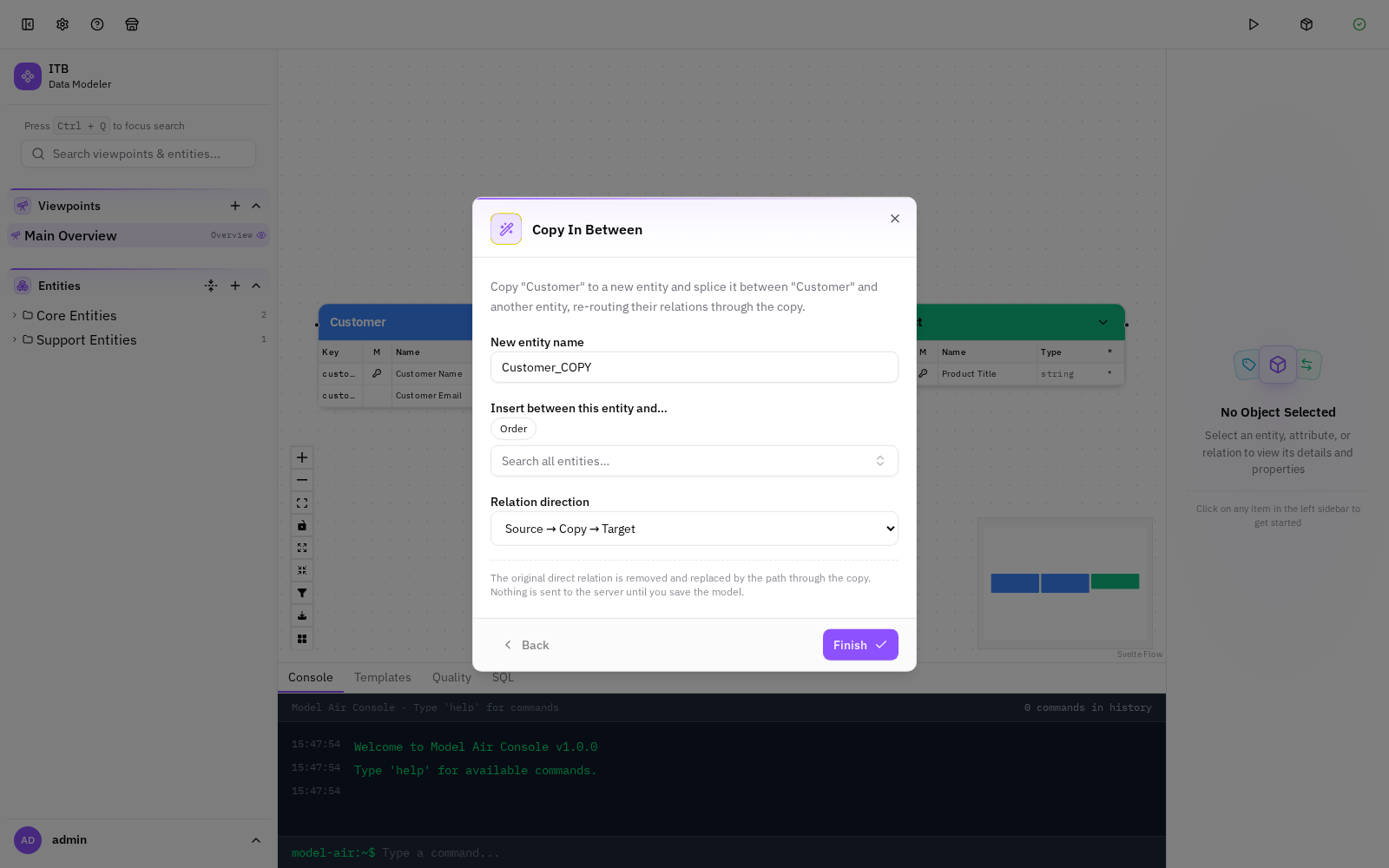
Copy In Between Wizard — Finish Feedback, Configurable Direction, No Discard Prompt
StandardThree issues raised during testing of the Copy In Between wizard have been fixed:
"Add entity from JSON" — testing-feedback fixes
StandardA round of fixes to the Add entity from JSON feature based on user testing:
Relationship lines stay aligned on large entities
StandardAttribute-to-attribute relationship lines on the canvas now connect to the exact attribute row they belong to, regardless of how many attributes an entity has. Previously, on very large entities (e.g. 100+ attributes) the connection points drifted away from their rows and the lines appeared to float below the entity.
cancelling a wizard's "Discard changes?" prompt stopped all wizards from opening
StandardCancelling the Discard changes? confirmation on any wizard left the entire wizard system unusable: afterwards no wizard would open again — Add entity from JSON, Copy source to stage, Copy in between, Copy with relation — until the page was reloaded. Ordinary form dialogs (Add entity, Edit entity) were unaffected. The fix re-wires the shared wizard host's open state so the dialog can never desynchronise from the underlying surface.
Fast bulk operations on large entities (delete / duplicate / copy)
StandardOperations that touch many records at once — deleting, duplicating, or copying an entity together with its attributes, relations, and custom properties — were extremely slow on large entities. Deleting an entity with ~136 attributes and relations took roughly 60 seconds. The same operation now completes in well under a second.
Explain why "Add Property" is disabled when no custom property matches the type
StandardIn the right sidebar's Properties panel (for entities, attributes, and relations), when an object has no custom-property entries the Add Property button is disabled if no custom-property definition applies to that object's type. Previously this looked like a silent, unexplained greyed-out button. It now shows a short message explaining why and where to fix it:
Auto-arrange no longer crashes on self-referencing relations
StandardThe canvas auto-arrange now works on models that contain a self-referencing relation — a relation whose source and target are the same entity. Previously, choosing the Radial (or Tree) layout on such a model silently failed: the nodes never moved and the browser console logged Failed to arrange nodes: RangeError: Maximum call stack size exceeded.