0.0.8 (WebApp)
We're excited to announce version 0.0.8 of the ITB WebApp, featuring 7 new advanced features and significant performance optimizations. This focused release brings sophisticated interaction patterns, customizable user preferences, and dramatically improved canvas performance for large-scale models.
Part of ITB 0.0.8 release - See master release
✨ New Features
🎯 Advanced Interaction Workflows
1. Drag Entity from Sidebar to Canvas
Add entities to viewpoints intuitively by dragging them directly from the left sidebar tree onto the modeling canvas. The grab cursor indicates draggable entities when a viewpoint is active.
Key Benefits:
- More intuitive than context menu workflows
- Entities appear at the exact drop position
- Error handling prevents duplicate additions
- Existing context menu option remains available

2. Drag & Context Menu for Related Entities
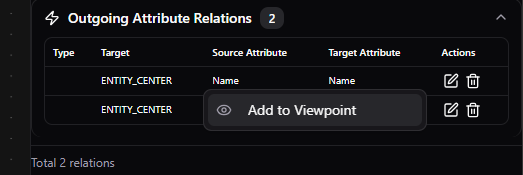
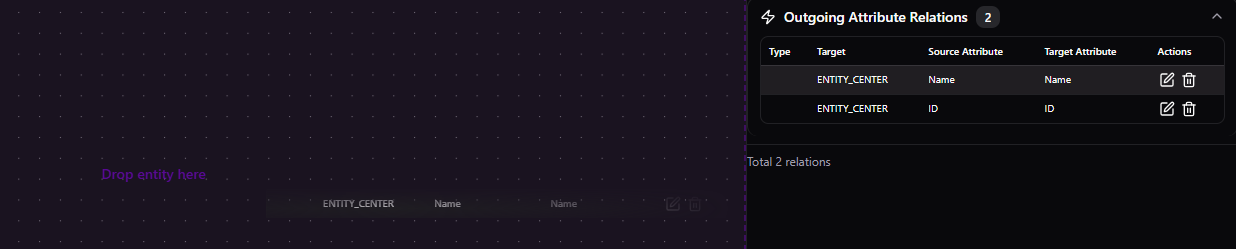
Explore and add related entities directly from the relations panel without manually searching in the sidebar tree. Right-click for context menu or drag to place on canvas.
Features:
- Context menu for quick "Add to viewpoint" / "Remove from viewpoint"
- Drag and drop related entities onto canvas
- Works for all relation categories:
- Outgoing entity relations
- Incoming entity relations
- Outgoing attribute relations
- Incoming attribute relations
- Grab cursor indicates draggable rows when a viewpoint is active
3. Comprehensive Canvas Context Menus
Right-click anywhere on the canvas to access context-sensitive actions. Menus are available for:
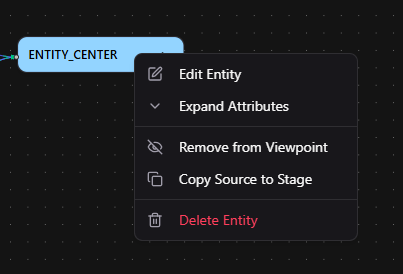
Entity Node Headers:
- Edit Entity
- Expand / Collapse Attributes
- Remove from Viewpoint
- Copy Source to Stage (ITB API)
- Delete Entity (with confirmation)
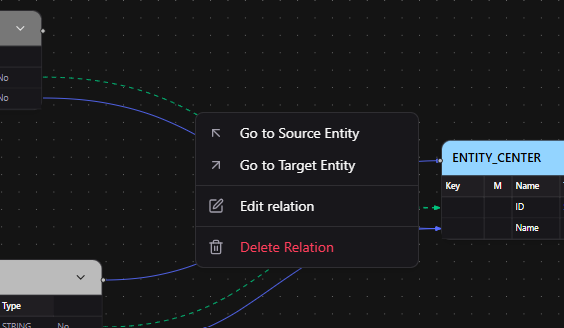
Relation Edges:
- Go to Source Entity
- Go to Target Entity
- Edit Relation
- Delete Relation (with confirmation)
- 20px invisible hit area makes thin edges easy to click
Canvas Background:
- Deselect All

All delete actions show confirmation dialogs for safety.
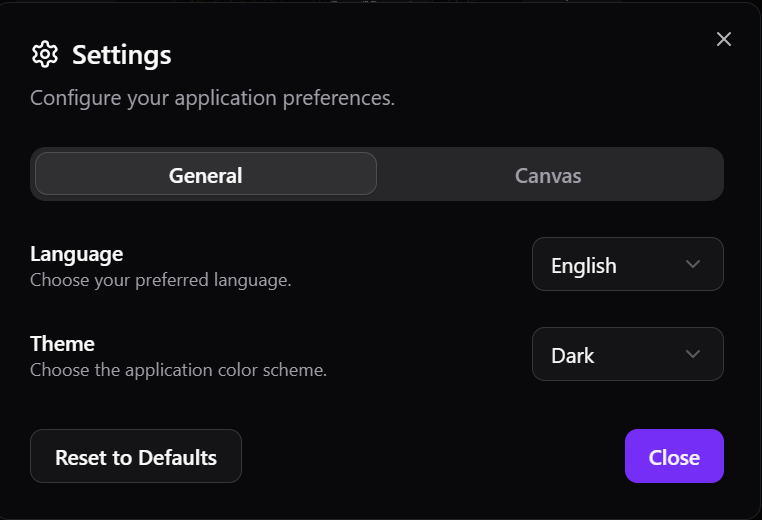
4. User Settings Dialog
Centralized settings panel accessible via the gear icon in the header bar. All preferences are persisted to localStorage across sessions.
General Tab:
- Language selection (English, German)
- Theme selection (Light, Dark, System)
Canvas Tab:
- Pan Mode - Choose mouse button: Left Click (default), Right Click, or Middle Click
- Background - Dots, Lines, Cross, or None
- Snap to Grid - Toggle with adjustable grid size (10-50px)
- Show Minimap - Toggle minimap overlay
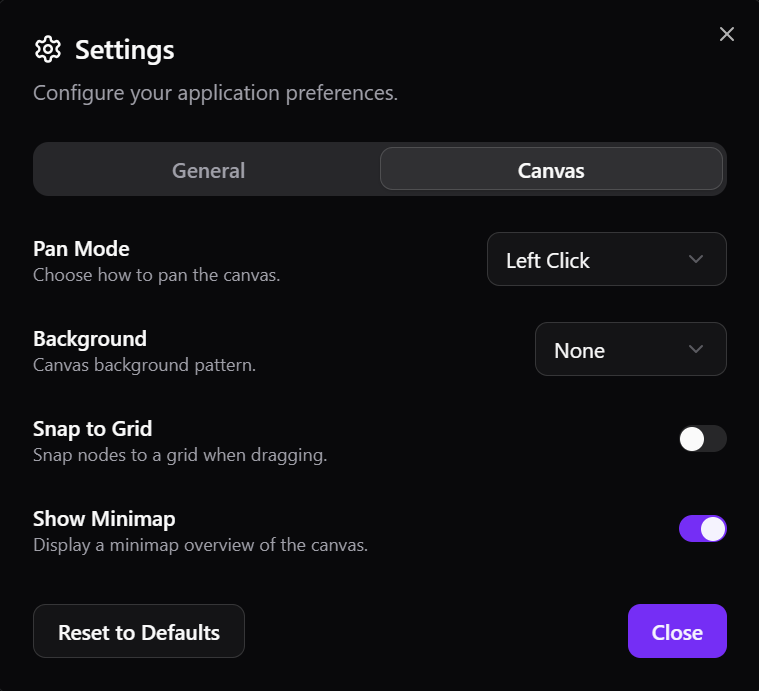
Reset to Defaults button available to restore original settings. All changes take effect immediately.
5. Generate All Artifacts Button
One-click generation of all artifacts from the header bar. A modal dialog tracks progress through each step: preparing, saving, generating, with success/error feedback.
Workflow:
- Click the play icon button in header
- Dialog automatically saves workspace data to backend
- Backend generates all artifacts
- Real-time progress indication
- Auto-dismisses on completion or error

Only visible when backend supports generate-all endpoint.
🎯 Navigation & Discovery
6. Entity Tree Auto-Reveal on Canvas Selection
Selecting an entity on the canvas automatically expands all parent folders in the left sidebar entity tree and scrolls the selected entity into view. Keeps sidebar and canvas perfectly in sync.
Behavior:
- Auto-reveal disabled when search filter is active
- No redundant scrolling when selecting from tree directly
- Smooth scroll animation brings entity into view
⚡ Performance Optimization
7. Comprehensive Canvas Rendering Performance Boost
Massive performance improvements targeting large viewpoints. Initial render time for ~30 entities with ~40 edges dropped from ~25 seconds to under 10 seconds.
Key Optimizations:
- Viewport Culling - Only visible nodes and edges are mounted in DOM
- Shared Data Maps - Entity types, attributes resolved once at canvas level instead of per-entity/edge
- Structural Equality Guards - Update arrays only when content changes
- Debounced Viewpoint Switch - Node and edge generation batched via requestAnimationFrame
- Pre-resolved Edge Data - All display data precomputed, eliminating per-edge store subscriptions
- Lazy Edge Labels - Labels hidden below 50% zoom
- Cached Handle Positions - Map lookups instead of linear searches
- Inline SVG Icons - Replaced component-based icons with inline SVG
- Singleton Dialogs - One shared AlertDialog and ContextMenu instance
- Optimized CSS Transitions - Scoped properties to avoid full layout recalculations
- Automatic Minimap Optimization - Auto-hides on viewpoints with 50+ entities
Results:
- Faster viewpoint opening
- Smoother panning and zooming
- Faster viewpoint switching
- Significantly reduced jank
- Production-ready performance for real-world data models
Summary
ITB WebApp 0.0.8 introduces powerful new interaction patterns and user customization options while delivering dramatic performance improvements. Advanced drag-and-drop workflows, contextual menus, and customizable settings enable sophisticated modeling workflows, while canvas rendering optimizations make large-scale data models responsive and usable.
Thank you to all contributors and users who provided feedback!